

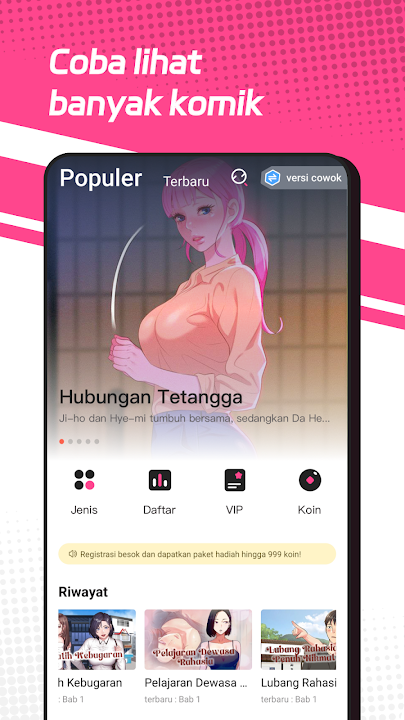
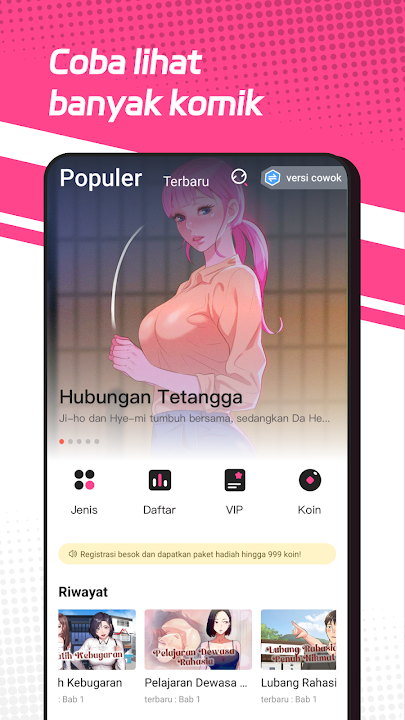


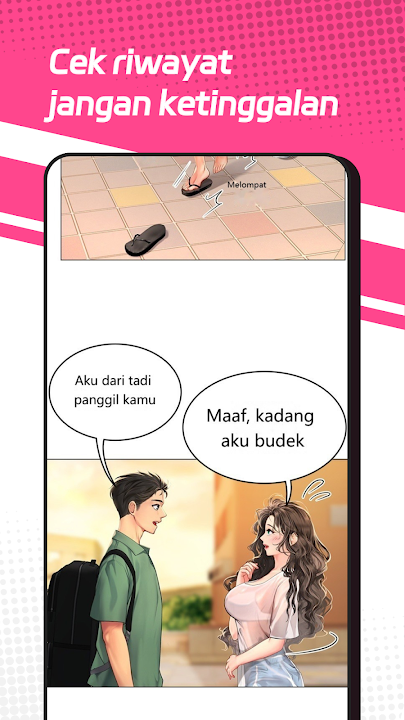
Immerse yourself in an enchanting universe of visual storytelling with Comic Box (v2.4.6) by coolmanga. Designed specifically for passionate manga, manhwa, and webtoon enthusiasts on Android, Comic Box delivers an all-inclusive digital reading hub packed with tens of thousands of top-tier series, high-definition full-color artwork, smooth vertical scrolling, and comprehensive offline reading features.
Your Portable Digital Comic Sanctuary
In Comic Box, finding and following your favorite graphic novels has never been easier. Whether you crave action-packed shonen battles, romantic fantasy webtoons, isekai reincarnation sagas, suspenseful psychological thrillers, or martial arts cultivation manhua, Comic Box curates the hottest global hits with lightning-fast daily chapter updates and tailored reading recommendations.
Key Features of Comic Box APK v2.4.6
1. Enormous Multi-Genre Comic Library
Dive into a limitless collection of Japanese Manga, Korean Manhwa, and Chinese Manhua across every major genre including Action, Fantasy, Romance, Martial Arts, Horror, Comedy, School Life, and Mystery. New chapters are added around the clock to keep you up to date with the latest storyline developments.
2. Crystal-Clear Full-Color High-Definition Pages
Experience breathtaking visual fidelity. The customized image rendering engine loads colorful webtoon panels in crisp HD without pixelation, featuring fluid vertical waterfall scrolling and customizable zoom controls optimized for smartphones and tablets.
3. Smart Offline Batch Chapter Downloads
Never let unstable internet or lack of mobile data interrupt your reading flow. Comic Box allows you to download entire story arcs in batch directly to your device storage, making it the ideal companion for commuting, traveling, or relaxing offline.
4. Eye-Care Night Mode & Display Personalization
Protect your eyesight during marathon reading sessions. Toggle between clean light mode, true dark theme, and soft sepia tone. Adjust screen brightness, scrolling speed, and navigation gestures (vertical scroll vs. horizontal page turn) to match your personal reading habits.
5. Cloud Reading History & Seamless Bookmark Sync
Never lose your place again. The integrated cloud tracking system automatically bookmarks your exact reading progress down to the specific panel, allowing you to switch devices effortlessly while keeping your favorites library intact.
6. Interactive Reader Comments & Community Reviews
Engage with thousands of fellow comic lovers worldwide. Share chapter reviews, debate plot twists, leave hilarious reactions, and find hidden gem recommendations directly at the end of every chapter.
Top Pro Tips for Comic Box Readers
Turn on Chapter Pre-Caching Over Wi-Fi
Enable automatic background pre-caching in the app settings while connected to Wi-Fi. This ensures subsequent chapters load instantaneously with zero buffering latency when you browse on mobile networks.
Organize Your Custom Library Shelves
Sort your bookmarked titles into personalized categories such as "Currently Reading", "Completed Masterpieces", and "To Read Later" for effortless catalog management.
How to Download and Install Comic Box APK on Android
Follow these quick steps to install the official comic reader on your Android smartphone or tablet:
- Download the APK: Tap our verified high-speed download link above to obtain the official
Comic Box v2.4.6.apkpackage. - Allow Unknown Sources: Go to Settings > Security > Install Unknown Apps and grant permission to your file manager.
- Install: Open your Downloads folder, tap the APK file, and press Install.
- Start Reading: Launch Comic Box, choose your favorite manga, and embark on epic storytelling adventures!
Final Summary
Comic Box is an essential mobile application for every comic and manga lover. Combining a gigantic library, daily updates, stunning full-color visuals, and robust offline reading capabilities, it represents the gold standard of Android comic readers. Download the official Comic Box APK v2.4.6 today and unlock an infinite world of captivating stories!















No comments yet. Be the first!
Loading comments…