
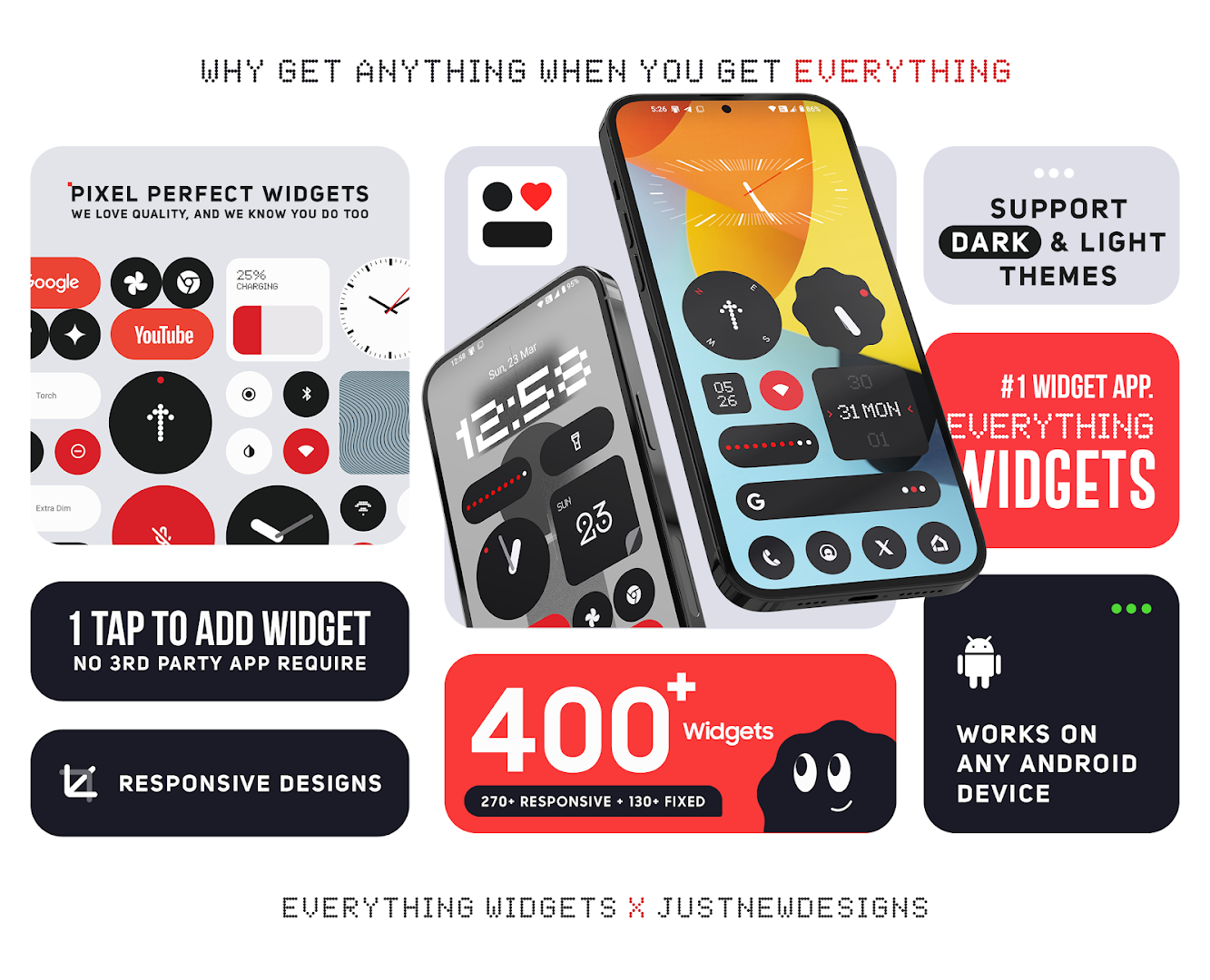
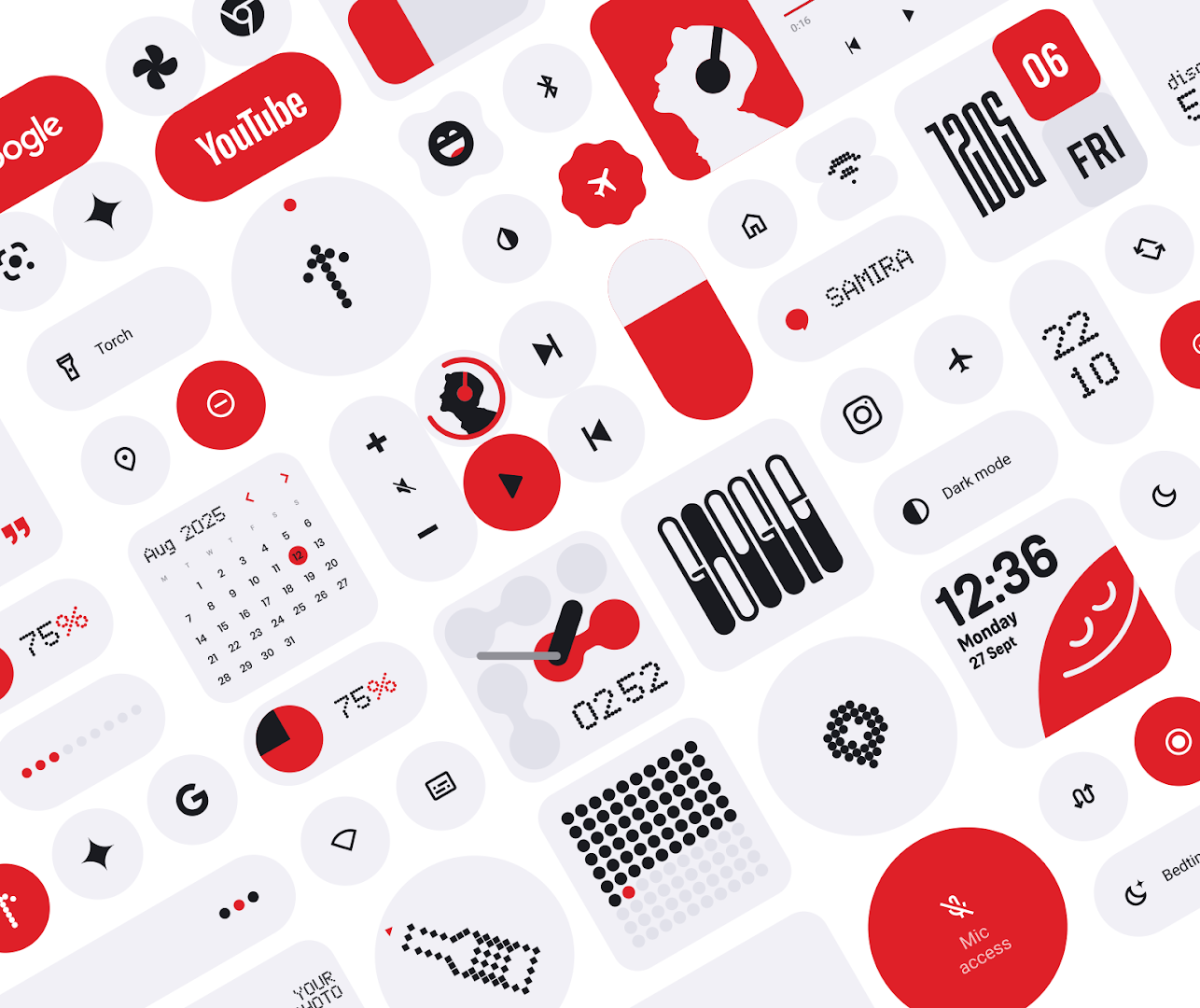
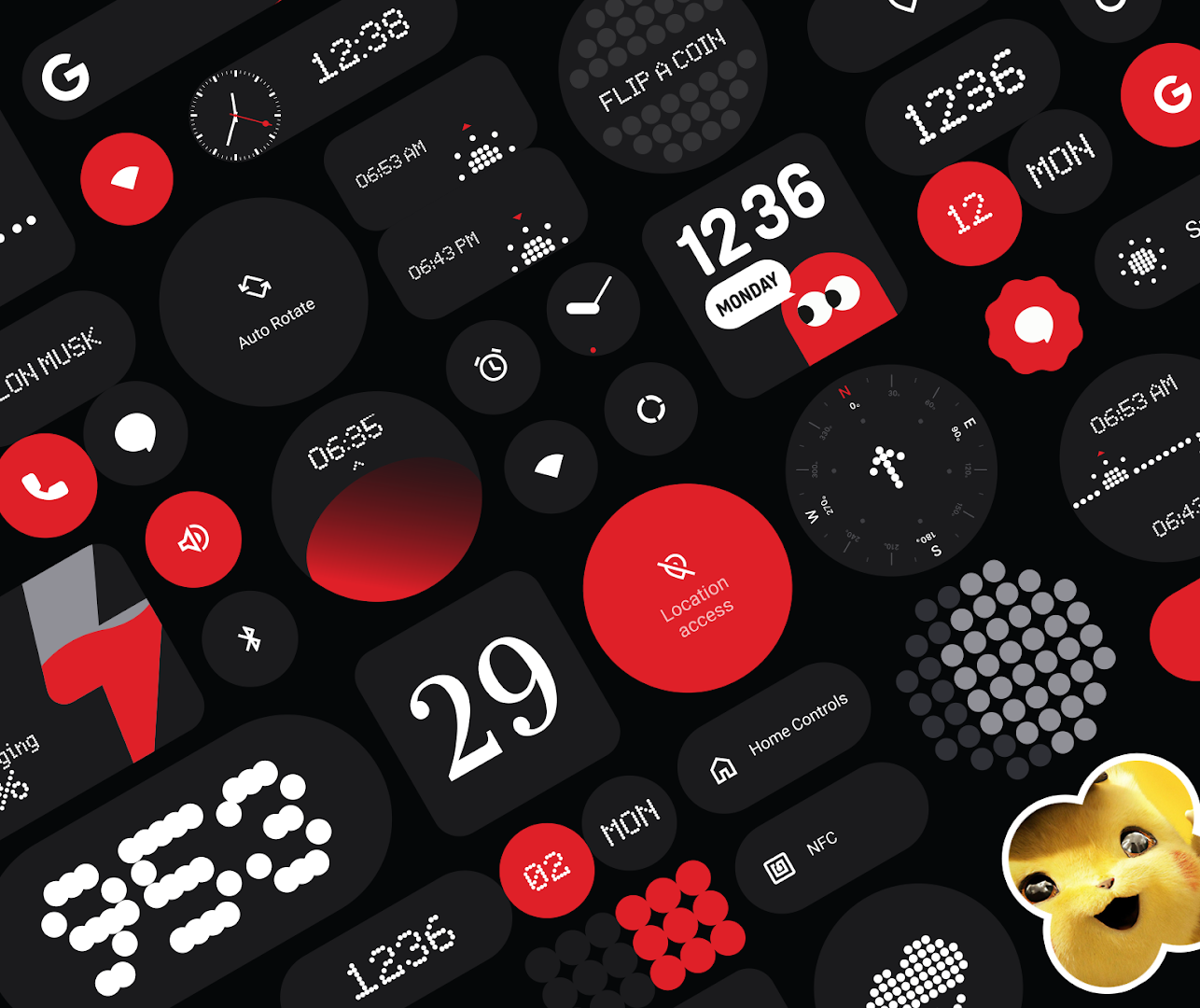
For Android customization aficionados, minimalist design purists, and smartphone users who admire the sleek, industrial retro-futurism of Nothing OS, Everything Widgets APK for Android (v1.5.0) delivers the ultimate aesthetic home screen transformation. Crafted by the celebrated UI design studio JustNewDesigns, this versatile personalization app brings the iconic dot-matrix typography, monochrome palettes, and geometric elegance of Nothing Phone directly to any Android smartphone or tablet. Unlike complex customization suites that require secondary third-party tools, Everything Widgets functions as a 100% standalone native widget collection, allowing you to revamp your home screen in seconds with a simple tap and drag.
Transform Your Android Home Screen with Iconic Nothing OS Aesthetics
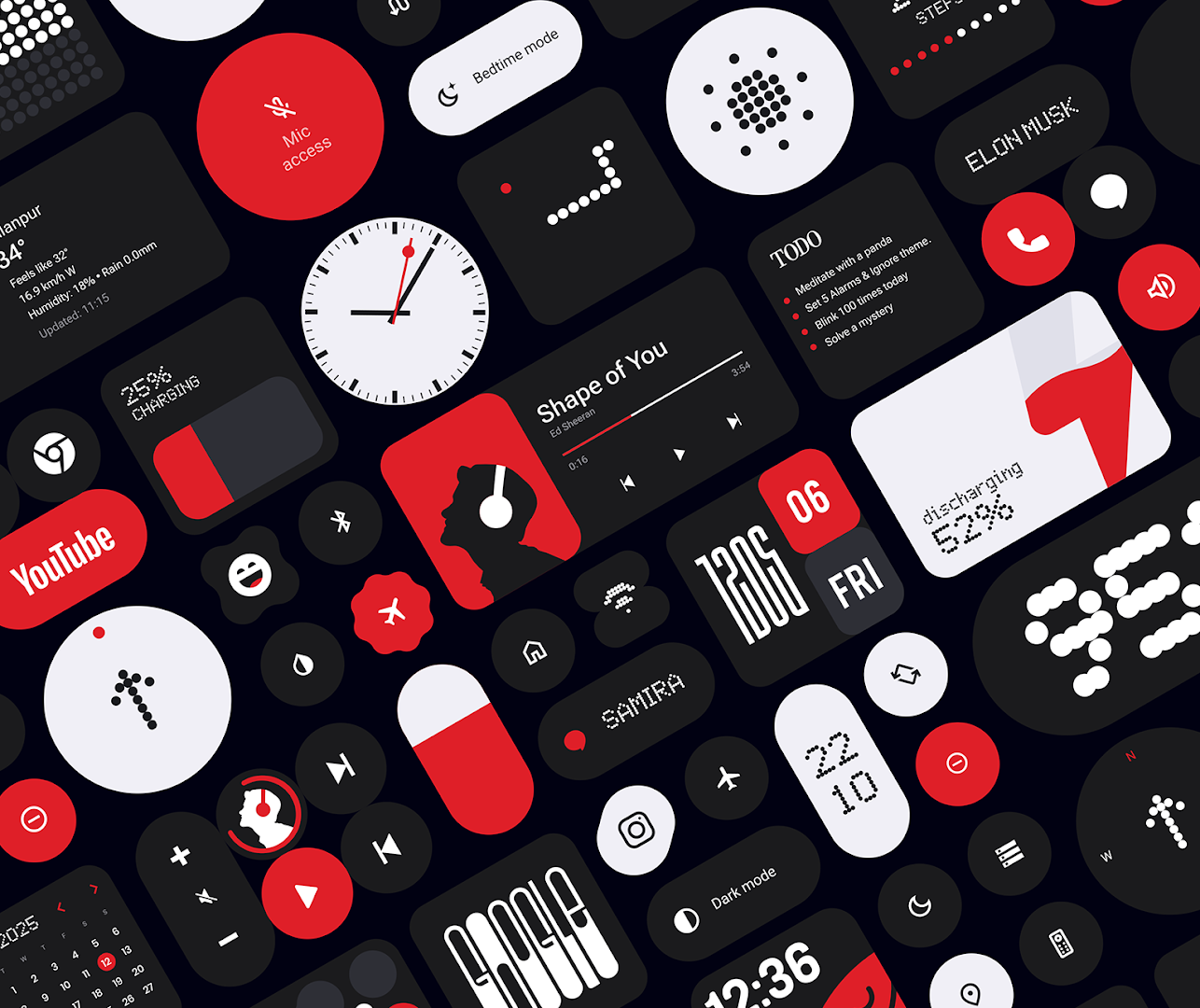
Nothing OS captivated the global tech community by proving that smartphone software could be distinct, functional, and visually striking. Everything Widgets captures that exact design philosophy, distilling it into an accessible package of over 100 interactive widgets. From analog clocks with red second-hand accents to dynamic weather tiles and multi-device battery monitors, each element is engineered to deliver critical information with zero visual clutter.
Core Features of Everything Widgets APK for Android
1. 100% Standalone Functionality (Zero KWGT Required)
Enjoy hassle-free home screen personalization without complicated dependencies:
- Native Android Integration: No need to purchase KWGT Pro, Kustom Widget Maker, or install heavy companion engines.
- Direct Widget Picker: Simply long-press any empty space on your home screen, tap Widgets, find Everything Widgets, and place your favorite designs instantly.
- Zero Setup Confusion: Skip tedious file importing, permission tweaking, or manual coding; every widget works out of the box.
2. Authentic Nothing OS Dot-Matrix Design Language
Experience world-class typography and industrial styling:
- Dot-Matrix Font Rendering: Crisp digital clocks and data readouts rendered in iconic dot-matrix glyphs.
- Monochrome & Red Accent Themes: Choose between stark black, crisp white, transparent glassmorphism, and bold red accent highlights.
- Clean Geometric Layouts: Square tiles, circular dials, pill-shaped indicators, and wide landscape cards that snap cleanly to launcher grids.
3. Expansive Variety of Over 100 Interactive Widgets
Access an exhaustive catalog of functional and aesthetic widgets:
- Clocks & World Time: Digital dot-matrix clocks, classic Bauhaus analog dials, dual timezone displays, and countdown timers.
- Real-Time Weather Forecasts: Hourly temperature curves, weather condition icons, humidity readouts, and air quality indices.
- Battery & Device Status: Circular ring gauges, dual phone-and-Bluetooth earbud battery monitors, and RAM/storage usage bars.
- Productivity & Fitness: Daily calendar agendas, interactive to-do lists, stopwatch timers, and pedometer step trackers.
- Media Player Cards: Responsive music widgets with album artwork framing and playback controls (Play, Pause, Skip).
4. Dynamic Material You Theming & Auto Dark/Light Mode
Ensure seamless visual harmony across your entire device theme:
- Material You Color Adaptation: On Android 12+, widgets dynamically sample colors from your active wallpaper for cohesive aesthetics.
- System Theme Synchronization: Automatically switches between high-contrast dark mode at night and crisp light mode during the day.
5. Deep Customization & Touch Action Launchers
Tailor widget behavior to match your personal workflow:
- Custom Tap Actions: Configure single taps on any widget to launch specific apps (e.g., tap weather to open your preferred weather app, tap clock to open alarms).
- Flexible Resizing & Padding: Freely scale widgets from 1x1 shortcuts to 4x2 panoramic banners without text distortion.
6. Ultra-Low Battery Consumption & Lightweight Footprint
Keep your phone running cool, snappy, and energy-efficient:
- Native AppWidget Framework: Operates efficiently without consuming persistent background RAM or draining battery life.
- Optimized Refresh Cycles: Weather and clock updates trigger on efficient system alarms to prevent unnecessary battery wakeups.
7. Universal Launcher Compatibility
Works seamlessly across popular third-party and stock launchers:
- Third-Party Launchers: Full support for Nova Launcher, Lawnchair, Smart Launcher 6, Niagara Launcher, and Hyperion.
- Stock OEM Interfaces: Fully compatible with Samsung One UI, Google Pixel Launcher, Xiaomi HyperOS, OnePlus OxygenOS, and Motorola MyUX.
8. Regular Design Updates & Community Widget Requests
Expand your customization library with fresh designs:
- Continuous Additions: Enjoy regular monthly updates introducing new widget styles and seasonal design packs.
- Developer Feedback Loop: Request specific widget styles directly to JustNewDesigns for future release iterations.
8. Lock Screen Integration & Ambient Glanceable Cards
Extend the Nothing OS design philosophy across your device's entire interface:
- Lock Screen Quick Glance Cards: Place subtle, compact dot-matrix widgets on compatible lock screens for instant time, date, and weather updates.
- Typography Weight Modifiers: Adjust font thickness, kerning spacing, and dot density to match custom minimalist setups.
- Custom Background Opacity Controls: Fine-tune tile transparency levels from solid jet-black to crystal-clear glassmorphism.
Pro Tips for Creating the Ultimate Nothing OS Home Screen Setup
- Pair with a Dark Minimalist Wallpaper: High-contrast black, dark gray, or textured geometric wallpapers make dot-matrix widgets pop dramatically.
- Use a Monochrome Icon Pack: Combine Everything Widgets with Nothing-styled monochrome icon packs (such as Nothing Icon Pack) for a unified UI.
- Group Circular and Pill Widgets Together: Place a 2x2 circular clock alongside a 2x1 weather pill for balanced visual geometry.
- Configure Custom Tap Shortcuts: Assign your most frequently used calendar and clock apps to widget touch zones for faster navigation.
- Adjust Launcher Grid to 5x5 or 6x5: Increasing your home screen grid density allows for tighter widget spacing and cleaner proportions.
How to Download, Install, and Set Up Everything Widgets on Android
- Download the Official APK: Tap the secure download button above to retrieve the verified
Everything Widgets v1.5.0.apkpackage (35 MB). - Enable Unknown Sources: Go to Settings > Security > Install Unknown Apps and grant permission for your browser.
- Install the Application: Open your Downloads folder, select the APK file, and click Install.
- Add Widgets to Your Screen: Long-press any empty space on your home screen, choose Widgets, find Everything Widgets, and place your dream Nothing OS setup today!
Conclusion
Everything Widgets APK for Android is the premier standalone customization tool for anyone seeking the clean, retro-futuristic elegance of Nothing OS on their device. With over 100 handcrafted widgets, zero KWGT dependencies, full Material You support, and negligible battery usage, it elevates your home screen into a minimalist masterpiece. Download the official latest version today and transform your Android experience with Everything Widgets!








![Harem Corruption [Akihiru]](https://modhello.com/uploads/download/2026/08/harem-corruption-akihiru_icon.webp)


No comments yet. Be the first!
Loading comments…