Overview of the Top BUSSID Truck Canter Mod Collection 2026
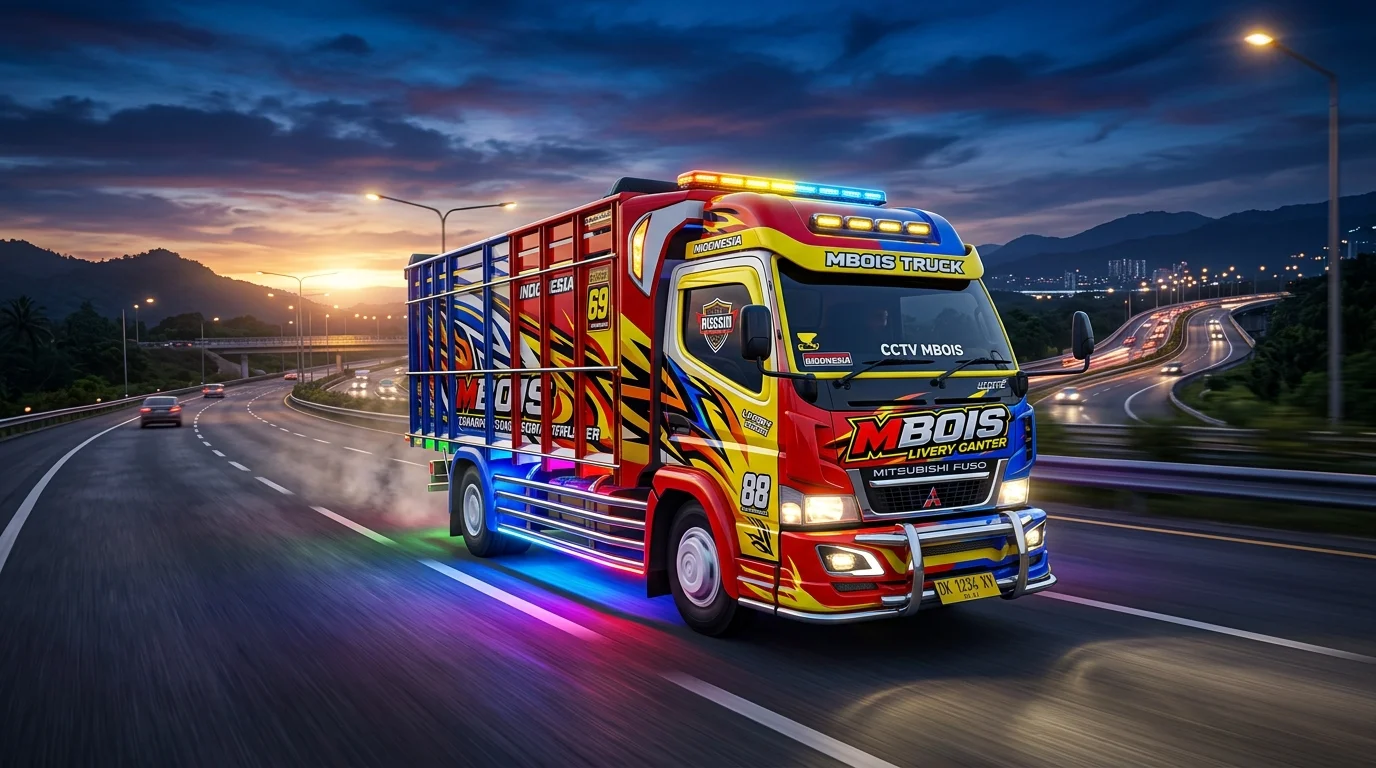
The Bus Simulator Indonesia (BUSSID) modding community continues to thrive, with Truck Canter Mods remaining the most requested vehicles among simulation enthusiasts worldwide. Known for their iconic mbois aesthetic, customizable liveries, dynamic full-strobe lights, and roaring Sound Srigala (Wolf Exhaust) sound effects, Canter trucks offer an unmatched driving experience across Indonesian highway routes.
This curated 2026 collection brings together the highest-rated Truck Canter modifications, meticulously tested for stability, high-definition texture rendering, and zero-lag performance even on mid-range Android devices running BUSSID v4.0.4.
Key Features of Modern BUSSID Canter Truck Mods
Unlike default vehicles, custom Canter trucks in this collection feature extensive visual and mechanical upgrades designed for realism and immersion:
- Full Strobe Lighting System: Dynamic LED light strips installed along the front bumper, top cabin, and rear chassis that illuminate brilliantly during night routes.
- Custom Exhaust Audio (Sound Srigala): Realistic turbo blow-off and wolf exhaust sound effects mapped to throttle acceleration and gear shifts.
- Animated Tarpaulin & Cargo Loads: Toggle between triangular tarpaulin (Terpal Segitiga), box cargo, chili loads (Cabe), or empty bed options via garage animation buttons.
- Ultra-HD 4K Livery Compatibility: Crisp PNG skin rendering with zero texture blurring, allowing custom livery stickers from top modders like Wahyu Abadi, Anti Gosip, and Oppa Muda.
Technical Comparison & Compatibility Matrix
Review the table below to choose the ideal Canter truck variant based on your device specifications and preferred gameplay style:
3-Step Guide: How to Install Canter Mods & Liveries in BUSSID
Installing custom vehicle modifications into Bus Simulator Indonesia takes less than two minutes. Follow these straightforward steps:
Step 1: Download the .bussidmod File
Select your desired truck variant from the collection below and download the .bussidmod or .bussidvehicle file to your Android internal storage.
Step 2: Move File to BUSSID Directory
Open your file manager application, locate the downloaded file in your Download folder, and copy/move it to the following directory path:Internal Storage > BUSSID > Mods
Step 3: Activate Vehicle in Garage
Launch Bus Simulator Indonesia, navigate to the GARAGE menu on the main screen, scroll through your vehicles until the newly added Canter truck appears, and tap USE (Pakai) to begin driving.
Conclusion
Whether you prefer hauling heavy cargo or showing off vibrant strobe lights on multiplayer convoy servers, this Top BUSSID Truck Canter Collection delivers the ultimate balance of visual quality and gaming performance. Download your favorite truck mod below and upgrade your garage today!