
Introduction: What is Kling AI?
The landscape of artificial intelligence video generation has undergone a monumental shift with the release of Kling AI APK v1.0.0. Developed by the research and engineering teams at Kuaishou Technology, Kling AI stands at the forefront of generative video technology, rivaling leading industry models such as OpenAI's Sora and Runway Gen-3. Designed to democratize high-end creative filmmaking, Kling AI brings studio-grade text-to-video and image-to-video capabilities directly into the hands of mobile creators, filmmakers, animators, and digital artists on Android.
Whether you want to visualize fantastical sci-fi worlds, animate vintage portraits into lifelike video memories, or direct intricate cinematic sequences with custom camera motions, Kling AI transforms concise text prompts into breathtaking, fluid motion sequences with unprecedented visual fidelity.
Next-Generation Generative Architecture
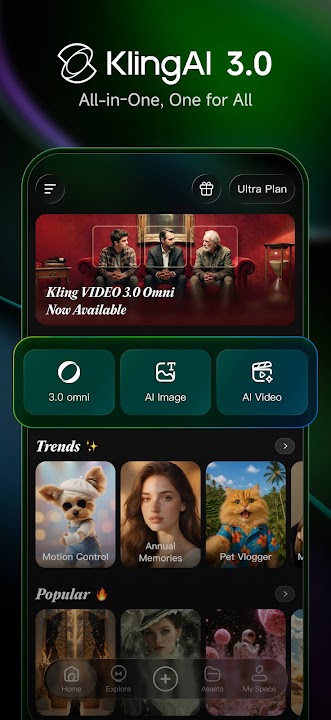
Unlike traditional AI video generators that suffer from rapid temporal degradation or morphing artifacts, Kling AI leverages a cutting-edge 3D Spatio-Temporal Joint Attention Mechanism. This architectural breakthrough allows the model to understand the physical world in three dimensions across continuous frames, resulting in:
- Realistic Physical Laws: Accurate simulation of gravity, fluid dynamics, fabric collision, light refraction, and natural kinetic movements.
- Temporal Coherence: Consistent subject anatomy, facial expressions, background details, and object identities maintained throughout multi-second video clips.
- High-Resolution Rendering: Crisp 1080p Full HD video output at smooth frame rates (30 FPS), delivering crisp visual textures and vibrant colors.
Key Features of Kling AI APK for Android
1. High-Precision Text-to-Video (T2V)
Turn your imagination into cinematic reality simply by typing descriptive sentences. Kling AI interprets complex narrative instructions, mood cues, lighting styles, and artistic genres—from hyper-realistic 35mm film aesthetics to cyberpunk anime and classical oil painting animations.
2. Dynamic Image-to-Video (I2V) Animation
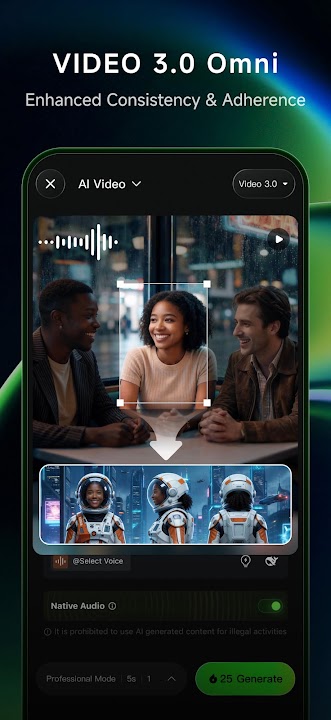
Bring static photographs, concept art, digital illustrations, and portraits to life. Simply upload an image, specify the desired motion path (e.g., wind blowing through hair, camera panning across mountains, or a character smiling and speaking), and watch Kling AI animate the still image with astonishing nuance.
3. Professional Cinematic Camera Controls
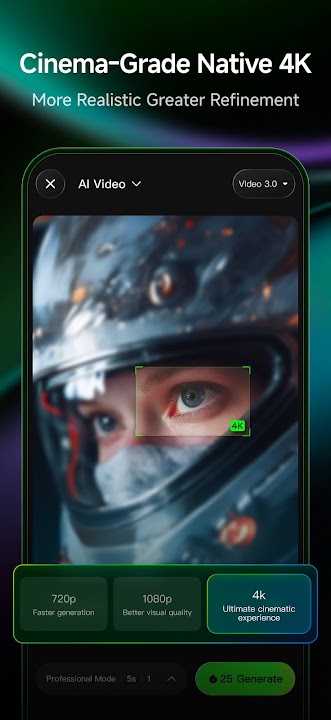
Direct your video scenes like a seasoned Hollywood cinematographer. Kling AI features advanced virtual camera trajectory controls:
- Pan Left / Right: Smooth horizontal sweeps across expansive landscapes or bustling streets.
- Tilt Up / Down: Dramatic vertical reveals from ground level to soaring skylines.
- Zoom In / Out: Dynamic push-in focus on emotional character close-ups or pull-backs for epic environment reveals.
- Roll & Orbit: Stylized spinning transitions and 360-degree rotational tracking shots.
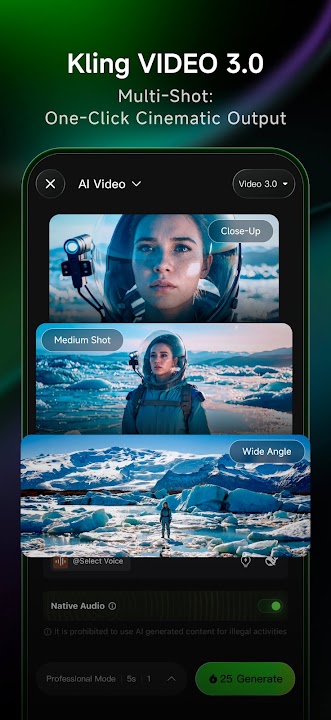
4. Extended Duration & Multi-Shot Sequencing
While many generative tools are restricted to 4-second snippets, Kling AI empowers creators to generate continuous shots up to 2 minutes in duration. The built-in video extension feature enables seamless multi-shot storytelling without awkward cuts or visual discrepancies.
5. Flexible Aspect Ratios for Social Platforms
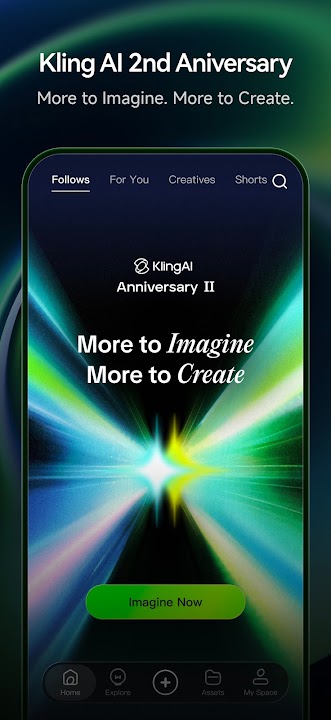
Export your creations in standard cinematic landscape (16:9), vertical smartphone portrait (9:16 for TikTok, Instagram Reels, and YouTube Shorts), or square format (1:1) with zero quality loss.
How to Craft Winning Prompts in Kling AI
To achieve mind-blowing visual results from Kling AI, structure your prompts following this proven formula:
- Subject & Action: Define who or what is moving (e.g., "A solitary astronaut walking slowly across a neon-lit futuristic Tokyo crosswalk").
- Environment & Weather: Describe the setting details (e.g., "Reflective rain puddles, heavy mist, glowing holographic billboards").
- Lighting & Cinematography: Specify the optical aesthetic (e.g., "Cinematic 35mm film, anamorphic lens flare, moody volumetric lighting, shallow depth of field").
- Camera Motion: Dictate camera behavior (e.g., "Slow cinematic dolly-in camera shot, steady tracking").
How to Download and Install Kling AI APK on Android
Setting up Kling AI on your Android phone or tablet is fast and simple:
- Download the APK: Click the direct download link above to obtain the genuine
kling.ai.video.chatAPK file. - Enable Installation Permissions: Navigate to your device's Settings > Security > Install Unknown Apps and allow permission for your browser.
- Install the App: Locate the downloaded file in your Downloads folder and tap Install.
- Launch & Create: Open Kling AI, sign in, enter your creative prompt, and start generating your first AI masterpiece!
Pros and Cons of Kling AI
- Pros:
- Industry-leading photorealism and physical simulation fidelity.
- Comprehensive camera movement controls (pan, zoom, tilt, orbit).
- Supports both Text-to-Video and Image-to-Video generation.
- Produces high-definition 1080p clips with smooth motion continuity.
- Intuitive, creator-friendly mobile interface.
- Cons:
- High-demand server queues during peak global usage hours.
- Requires a stable internet connection for cloud-based AI rendering.
Final Verdict
Kling AI APK v1.0.0 represents a monumental leap forward for mobile video creators and AI filmmakers. By combining hyper-realistic physics, intuitive camera control, and flexible generation modes into an accessible Android package, Kuaishou Technology has delivered one of the most capable generative video tools on the market. Download Kling AI for Android today and unleash your cinematic creativity without limits!












No comments yet. Be the first!
Loading comments…