
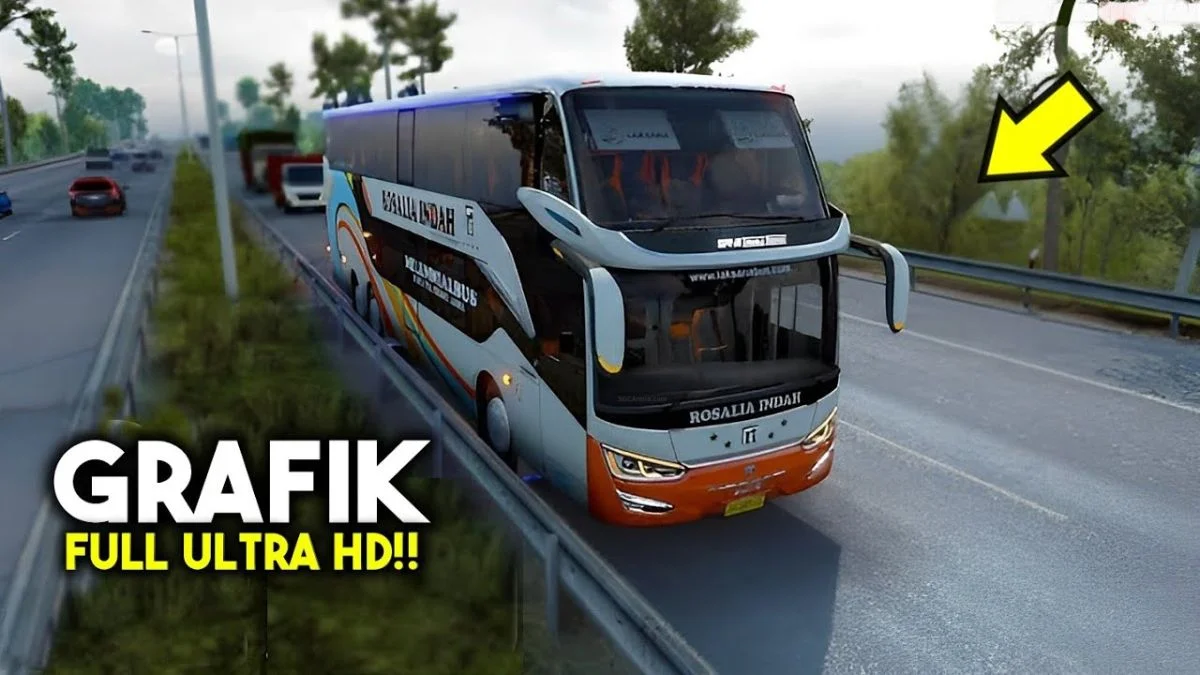
Introduction to Kodename Ultra HD Graphic Shaders BUSSID OBB Mod
In Bus Simulator Indonesia (BUSSID) developed by Maleo, the default graphics provide an accessible foundation for a wide range of mobile hardware. However, players looking for a breathtaking visual transformation that rivals PC truck simulations like Euro Truck Simulator 2 (ETS2) can elevate their game with the Kodename Ultra HD Graphic Shaders BUSSID OBB Mod (Kodename Grafik Dunia Nyata v7).
Created by master visual modder NFNM CHANEL, this ultra-lightweight Kodename mod modifies the underlying game asset shaders, rendering pipelines, and environmental textures. It delivers cinematic skyboxes, volumetric cloud formations, dynamic sunlight bloom, reflective wet asphalt puddles, and lush high-definition tropical foliage without compromising device frame rates.
Key Visual Enhancements & Graphic Overhauls
- Photorealistic Skybox & Volumetric Clouds: Replaces low-resolution sky textures with high-dynamic-range (HDR) daytime horizons, majestic cloud clusters, and rich golden-hour sunset gradients.
- Wet Asphalt & Surface Reflection Shaders: Simulates realistic rain weathering with reflective puddle shaders that mirror vehicle headlights, neon signs, and roadside streetlights.
- Vibrant Foliage & High-Definition Trees: Replaces basic foliage meshes with lush, realistic tropical palms, bamboo, and roadside bushes that sway naturally in the breeze.
- Dynamic Sun Flare & Lighting Bloom: Introduces realistic atmospheric lens flare when driving directly toward the sunrise or sunset on high-speed coastal highways.
- Ultra-Lightweight & Zero Lag Optimization: Weighing in at only 1.72 MB, this Kodename mod loads instantly into memory without causing micro-stuttering or frame drops on mid-range and budget Android phones.
Visual Comparison: Default Game vs. Ultra HD Graphic Mod
| Visual Aspect | Default BUSSID Graphics | Kodename Ultra HD Graphic Mod |
|---|---|---|
| Sky & Atmosphere | Basic flat blue sky gradient | HDR photorealistic skybox with layered clouds |
| Pavement & Asphalt | Matte asphalt with basic markings | Reflective wet-look asphalt with realistic specular highlights |
| Trees & Vegetation | Standard low-poly 2D tree cutouts | High-density 3D textured foliage and lush tropical greenery |
| Lighting & Sun Flare | Static directional light | Dynamic bloom, lens flare, and soft shadow rendering |
| Performance Impact | Base FPS | Seamless 60 FPS performance with zero memory overhead |
Compatibility Across Game Modes & Weather Cycles
The Kodename Ultra HD Graphic Mod is fully integrated across all major game modes in Bus Simulator Indonesia:
- Free Drive (Nglayap): Enjoy scenic road trips along the Trans-Java highway and scenic coastal routes with glorious tropical daylight and crisp mountain horizons.
- Career / Passenger Mode (Narik): Immerse passengers in a lifelike world while picking up and dropping off travelers at realistic bus terminals across Java and Sumatra.
- Multiplayer Convoy (Mabar): Showcase your premium visual setup during multiplayer convoy sessions without network synchronization lag.
Technical Specifications Table
| Specification | Mod Details |
|---|---|
| Mod Name | Kodename Ultra HD Graphic Shaders (Grafik Dunia Nyata v7.0) |
| Mod Author / Creator | NFNM CHANEL |
| Mod Category / Type | BUSSID OBB & Kodename Graphic Patch |
| File Format & Size | .zip (1.72 MB) / Extracted Kodename asset files |
| Target Folder | assets/bin/Data/ inside BUSSID OBB |
| BUSSID Compatibility | Fully compatible with v3.7.1, v4.0, v4.1, v4.2+ |
| Hardware Requirement | Runs smoothly on all Android devices (2GB+ RAM recommended) |
Step-by-Step Android Installation Guide
- Download: Tap the direct download button below to get
POHON-DARI-GRAFIK-DUNIA-NYATA-V.7.zip. - Open ZArchiver: Navigate to:
Internal Storage > Android > obb > com.maleo.bussimulatorid. - Backup OBB: Copy your
main.xxxxxx.com.maleo.bussimulatorid.obbfile to a backup folder for safety. - Open OBB as Archive: In ZArchiver, tap on the OBB file and choose View (Open as Archive).
- Paste Files: Navigate to
assets > bin > Datainside the OBB archive and paste the extracted Kodename graphic files into this folder. - Launch Game: Open Bus Simulator Indonesia and experience breathtaking HD graphics!











No comments yet. Be the first!
Loading comments…