
Download Livery BUSSID Keren HD for Bus Simulator Indonesia
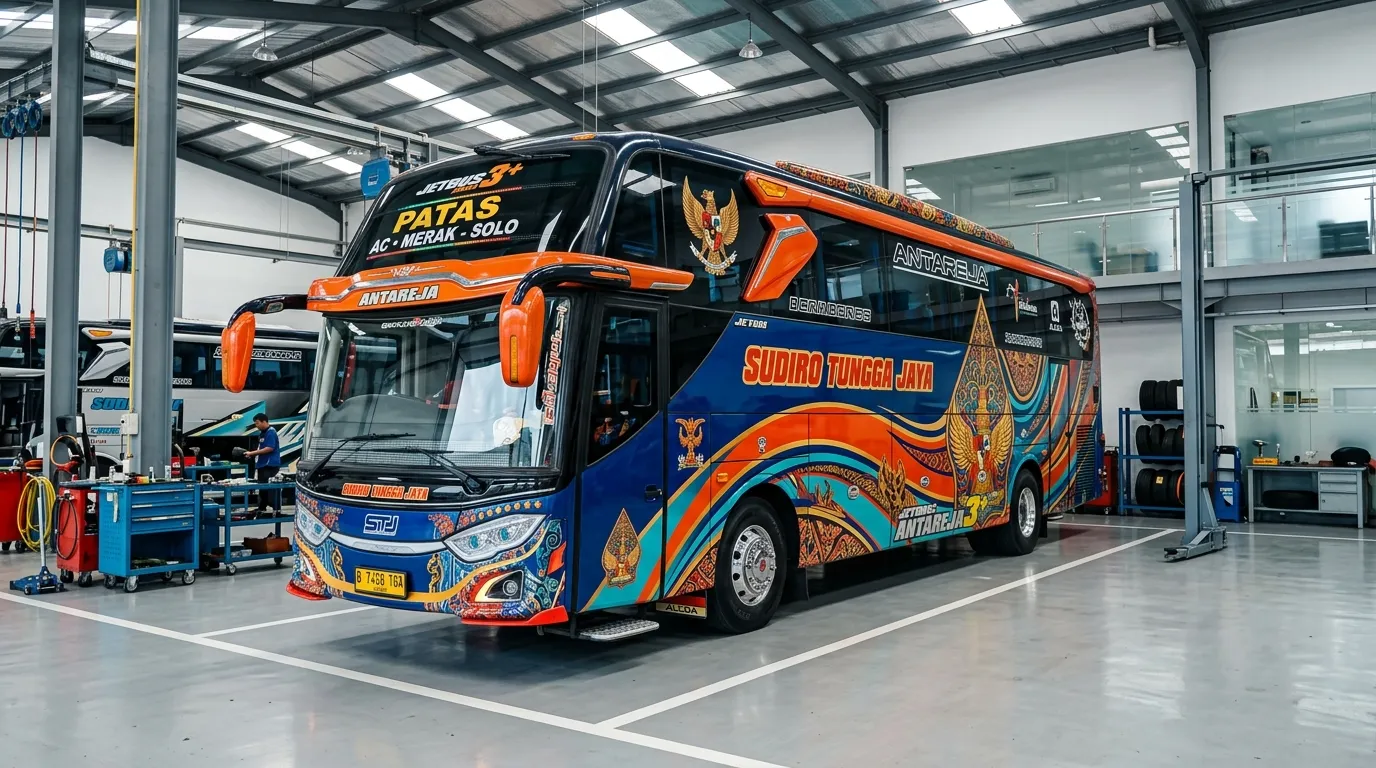
Transform your virtual driving experience with the premium Livery BUSSID Keren HD collection for Bus Simulator Indonesia. Developed to deliver unrivaled visual clarity on mobile devices, this customized bus skin pack features iconic Indonesian bus fleet designs, realistic livery liveries, sharp company logos, and metallic accents. By installing these high-definition livery templates, players can personalize their favorite buses and experience the true atmosphere of Indonesian highway transportation across Java and Sumatra routes in BUSSID.
Whether you are navigating busy city streets or driving along scenic toll roads, applying the Livery BUSSID Keren HD skin pack ensures your vehicle stands out with vibrant graphics and authentic fleet branding. Designed specifically for Bus Simulator Indonesia drivers, these livery files integrate seamlessly into the game garage without causing visual glitches, texture pixelation, or performance drops on low-end or high-end smartphones.
Info – Livery BUSSID Keren HD
| Game | Bus Simulator Indonesia (BUSSID) |
| Mod Name | Livery BUSSID Keren HD |
| File Type | .png / .zip |
| Extraction Password | No Password |
Key Features of Livery BUSSID Keren HD
- Ultra High Definition Resolution — Features crisp 2048x2048 pixel PNG graphics that preserve fine details, sharp vinyl lines, and vibrant color gradients without blurriness.
- Authentic Fleet Aesthetics — Includes iconic Indonesian bus operator liveries such as PO Haryanto, STJ Draka, Jetbus 5, Srikandi SHD, and Yudistira HD with capolista wayang motifs.
- Realistic Glass & Strobe Details — Built with dedicated transparent layers to maintain clean window glass reflections, realistic windshield decals, and LED strobe light compatibility.
- Wide Chassis Compatibility — Designed to fit standard built-in game buses as well as popular custom body mods smoothly without texture alignment errors.
Extraction Password & Notes
The official Livery BUSSID Keren HD templates do not require any extraction password. If you download the skin bundle in a compressed .zip or .rar file, use the free file manager application ZArchiver to extract the contents safely. Always verify that extracted livery images are saved in transparent .png format to prevent unwanted dark background layers when loading skins in your BUSSID garage.
How to Install Mod in Bus Simulator Indonesia (BUSSID)
- Download the Livery BUSSID Keren HD image template or zip package from a verified source to your Android device storage.
- Open
ZArchiver, locate the downloaded file in your Download directory, and extract the compressed archive if the file format is.zip. - Launch Bus Simulator Indonesia, go to the Garage menu, select your preferred bus model, tap the Palette icon, and tap Browse Livery.
- Select Device File, navigate to your saved PNG livery image, check the High Clarity option, and click Apply to save the new skin.












No comments yet. Be the first!
Loading comments…