
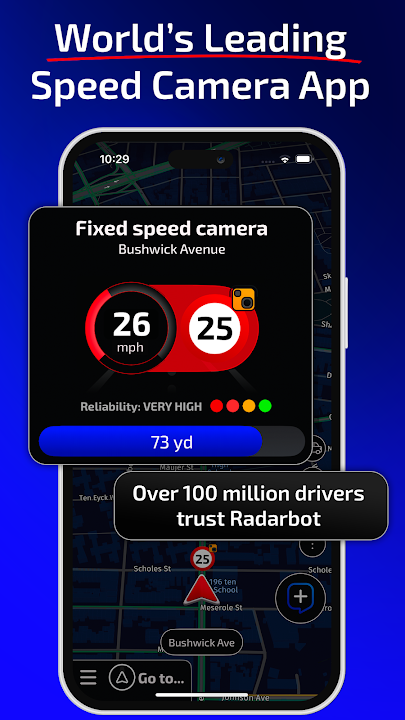
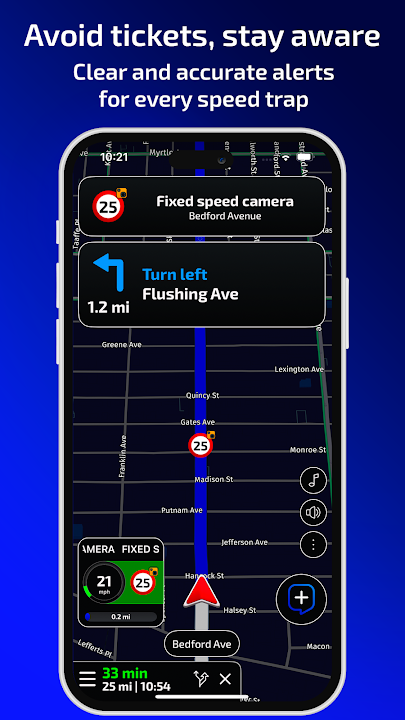
Drive with peace of mind, avoid costly traffic fines, and enhance your road safety with Radarbot: Speed Camera Detector & GPS (v9.4.5) by Iteration Mobile. Integrating powerful real-time speed camera detection with an accurate GPS speedometer, intelligent speed limit reminders, and live community traffic hazard alerts, Radarbot is an indispensable co-pilot for drivers on Android.
Your Ultimate Real-Time Driving Assistant
Whether navigating unfamiliar highway routes or commuting through busy city streets, Radarbot keeps you fully informed of surrounding traffic enforcement devices and road conditions. Powered by a continuously updated worldwide radar database combined with real-time reports from millions of active motorists, Radarbot ensures you always stay within legal speed limits while avoiding unexpected road hazards.
Key Features of Radarbot APK v9.4.5
1. Comprehensive Speed Camera Detection
Receive timely, accurate voice and visual warnings for every type of traffic camera, including fixed speed radars, mobile police checkpoints, average speed check zones (SPECS), red-light enforcement cameras, and ANPR license plate recognition cameras.
2. Real-Time Community Road & Hazard Alerts
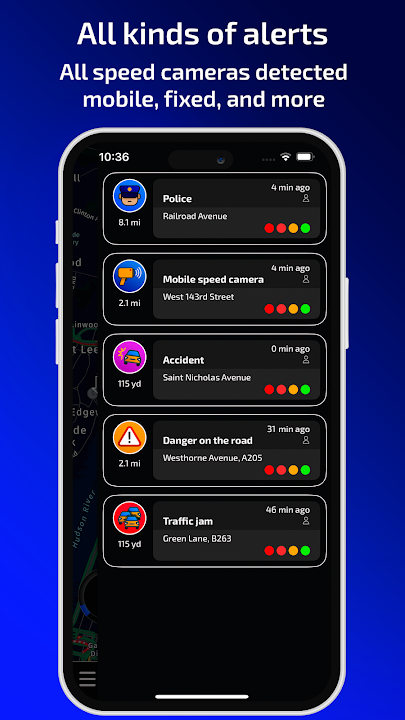
Tap into a global network of over 50 million drivers. Receive instantaneous community notifications about unexpected road accidents, police speed traps, construction bottlenecks, potholes, traffic jams, and hazardous weather conditions ahead.
3. High-Precision Digital GPS Speedometer
Track your real-time vehicle speed with military-grade GPS accuracy. The built-in speedometer monitors current road speed limits and sounds configurable audio chimes whenever your vehicle exceeds the permitted threshold.
4. Seamless Background Mode & Overlay Integration
Run Radarbot in the background while using Google Maps, Waze, or Spotify. Radarbot operates as a floating widget or provides background voice prompts through your car speakers via Bluetooth, ensuring you never miss a warning.
5. Full Android Auto Compatibility
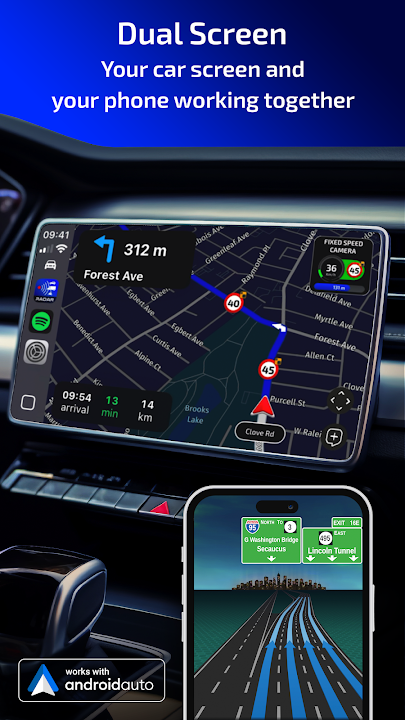
Experience hands-free navigation by projecting Radarbot directly onto your vehicle's dashboard screen via Android Auto. View clear map layouts, upcoming speed limits, and radar distance countdowns without glancing down at your phone.
6. Intelligent Battery-Saving Technology
Engineered for high efficiency, Radarbot features smart power-saving algorithms and an automatic screen-off standby mode during highway cruising, minimizing device heating and battery consumption on long journeys.
Pro Tips for Maximizing Radarbot Accuracy
Keep the Radar Database Updated Regularly
Connect to Wi-Fi before long road trips to allow Radarbot to automatically download the latest fixed radar locations and newly installed speed trap zones in your region.
Enable Bluetooth Audio Notification Channel
Configure voice notifications to route through your vehicle's Bluetooth hands-free audio profile (HFP), ensuring loud and clear camera warnings even when playing loud car radio or podcasts.
How to Download and Install Radarbot APK on Android
Follow these quick and straightforward steps to set up the official Radarbot app on your Android device:
- Download the APK: Tap the verified download link above to obtain the official
Radarbot v9.4.5.apkpackage. - Enable Unknown Sources: Go to Settings > Security > Install Unknown Apps and allow permissions for your file manager.
- Install the App: Locate the APK in your Downloads folder and tap Install.
- Hit the Road: Launch Radarbot, grant location permissions, and enjoy safer, fine-free driving across any highway!
Final Summary
Radarbot: Speed Camera Detector & GPS stands as the most reliable, feature-packed driving companion on Android. Combining real-time radar detection, community hazard sharing, and effortless background navigation, it guarantees stress-free journeys every time you start your engine. Download the official Radarbot APK v9.4.5 today and drive safely!












No comments yet. Be the first!
Loading comments…