
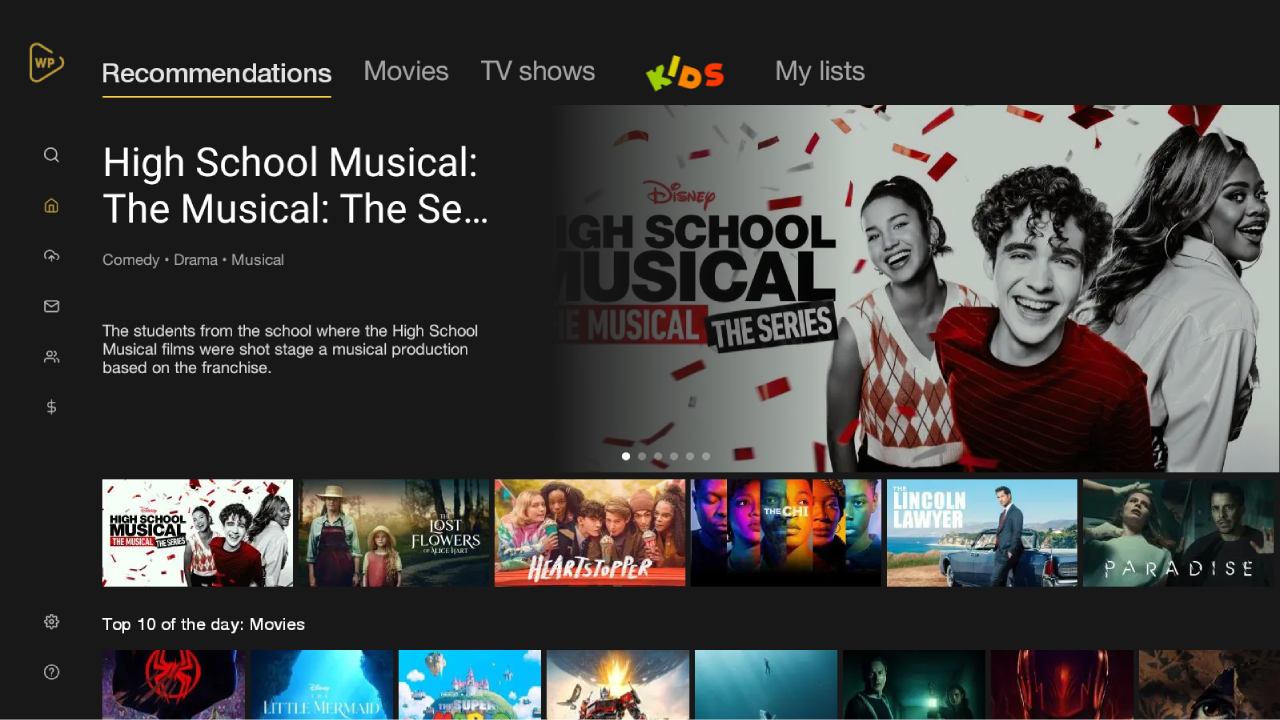
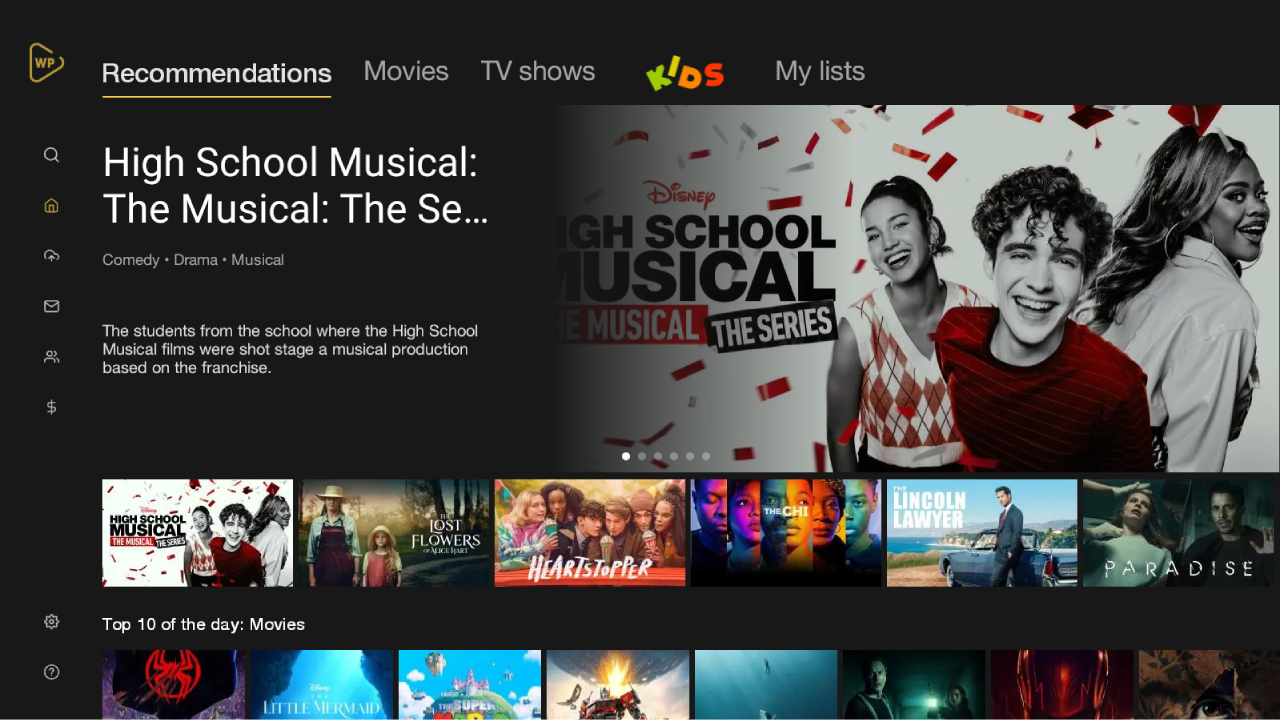
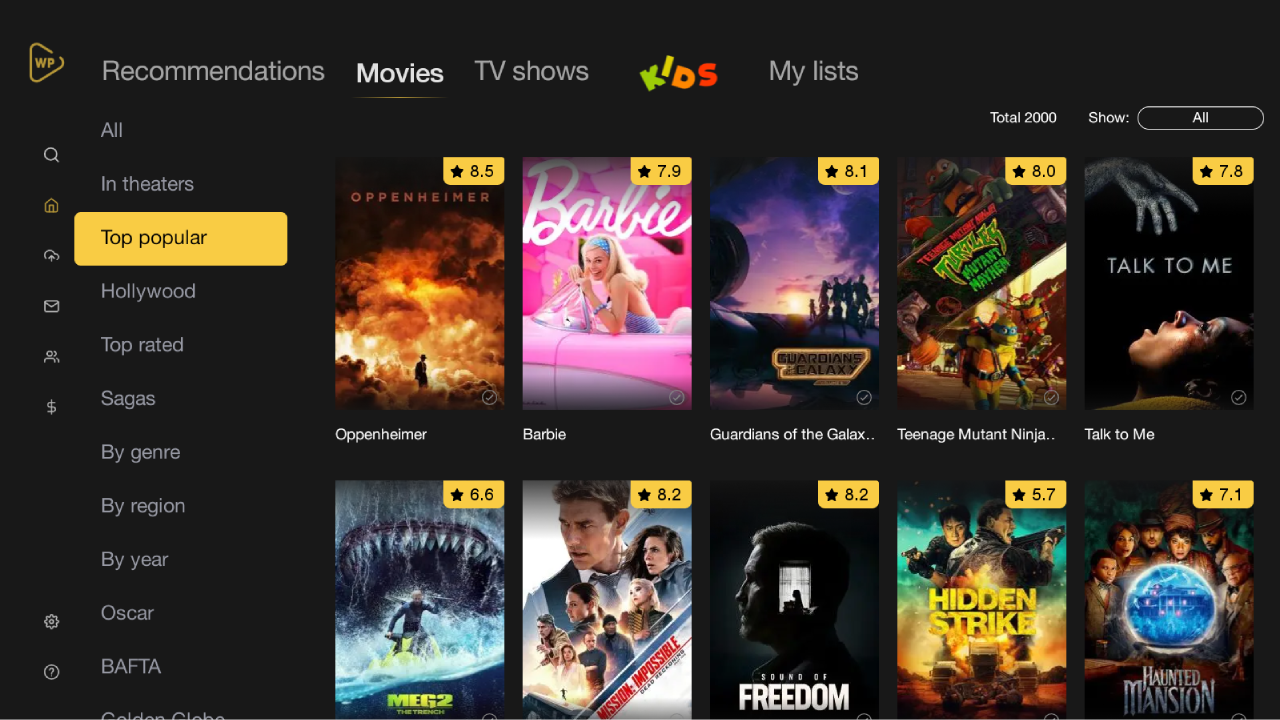
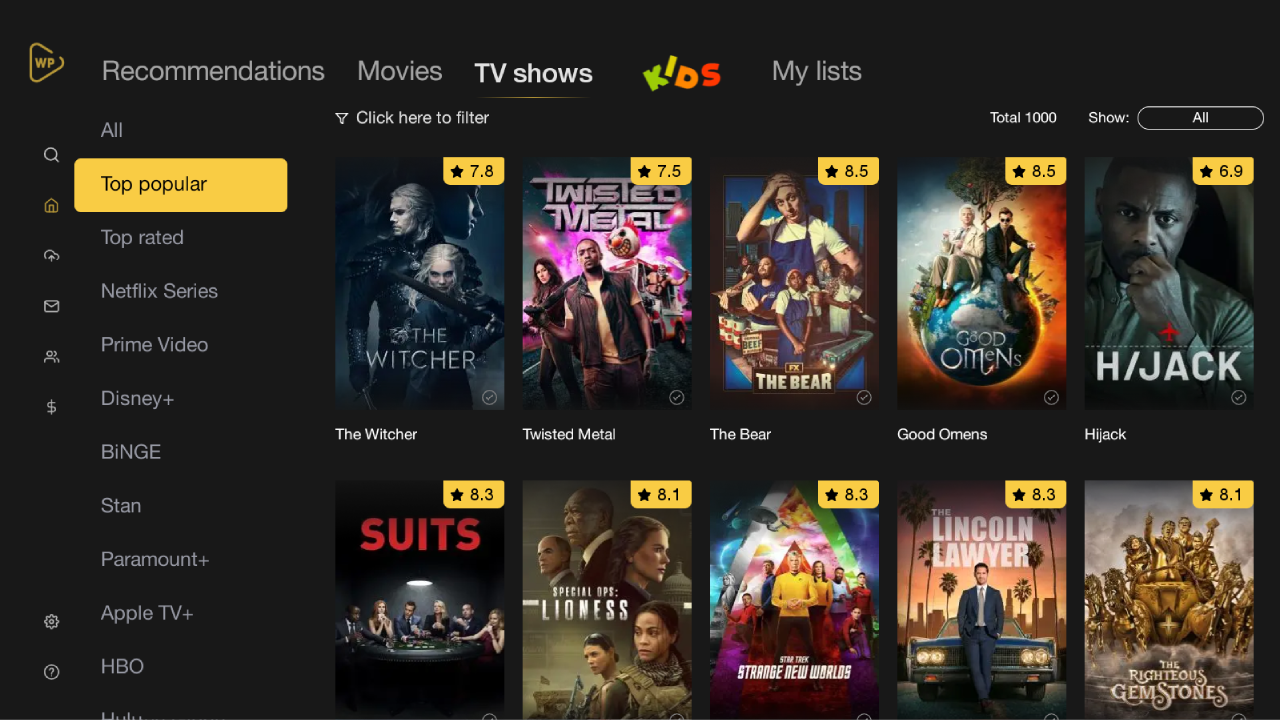
For cinephiles, binge-watchers, TV show connoisseurs, and home theater enthusiasts, Watchlist TV APK for Android (v2.6.4) (Watchlist Pro TV) represents the ultimate digital entertainment companion. Developed by Watchlist Pro, this sleek, intuitive media management app eliminates the frustration of searching across fragmented streaming services by consolidating movie catalogs, TV show episode trackers, premiere release calendars, and global streaming availability into a lightweight 28 MB hub.
Organize Your Cinematic Universe & Discover Where to Watch Anything
With hundreds of streaming platforms launching exclusive content every month, keeping track of what to watch and where it is currently streaming has become overwhelming. Watchlist TV solves this dilemma with real-time streaming provider indexing. Whether you want to know if a blockbuster is streaming on Netflix, Disney+, Amazon Prime Video, HBO Max, Apple TV+, or Hulu, or simply want to track which episode of your favorite drama you left off on, Watchlist TV delivers instant clarity.
Core Features of Watchlist TV APK for Android
1. Multi-Platform Streaming Availability Engine
Find where to stream, rent, or buy any title instantly:
- Universal Provider Directory: Check streaming availability across 50+ regional providers including Netflix, Disney+, Prime Video, HBO Max, Paramount+, and Apple TV+.
- Regional Country Filters: Switch between countries (US, UK, Canada, Australia, Europe, Asia) to view accurate localized licensing availability.
2. Smart TV Series Episode Tracker & Season Checklists
Never lose your place in sprawling multi-season series:
- One-Tap Episode Check-Off: Mark watched episodes with a single tap to automatically update your progress percentage bar.
- Next Episode Air Date Countdowns: View precise live countdown timers for upcoming weekly broadcast episodes and season premieres.
3. Custom Curated Watchlists & Tagging Folders
Structure your media library exactly how you want:
- Personalized Collection Lists: Create custom lists like "Weekend Movie Nights", "Must-Watch Anime", "Oscar Nominees", or "Halloween Horror".
- Smart Sorting & Filtering: Filter your watchlists by IMDb rating, release year, runtime duration, genre, or streaming platform.
4. Comprehensive TMDB & IMDb Integrated Database
Access deep cinematic trivia and metadata:
- Cast & Crew Filmographies: Explore complete filmographies of your favorite actors, directors, writers, and producers.
- High-Definition 4K Trailers & Posters: Watch official theatrical trailers in Full HD and browse high-resolution official movie posters.
5. Smart Push Notifications for Premieres & Releases
Stay ahead of entertainment release schedules:
- Theatrical-to-VOD Alerts: Receive instant push notifications the moment a theatrical film becomes available on home streaming platforms.
- New Episode Reminders: Get notified on the day your favorite show airs a new episode so you never fall behind online discussions.
6. Stunning OLED Dark Mode & Seamless Cloud Sync
Enjoy a visually refined user experience:
- True Black Dark Theme: Battery-efficient AMOLED dark mode that delivers stunning aesthetic contrast and reduces eye strain.
- Multi-Device Synchronization: Sync your watchlists seamlessly across your Android phone, tablet, and Android TV box.
7. 100% Offline List Browsing & Ultra-Light Performance
Manage your entertainment queue anywhere in the world:
- Full Offline Access: Browse your saved watchlists and cached show summaries during flights or commutes with zero internet data.
- Tiny 28 MB Footprint: Minimal memory footprint ensures zero battery drain or background resource hogging.
8. Community Reviews, Ratings & Recommendations
Discover your next favorite binge-watch:
- Verified User Reviews: Read honest ratings and spoiler-free reviews from a global community of fellow movie lovers.
- AI Recommendation Engine: Receive personalized movie recommendations based on your viewing history and high-rated favorites.
9. Trakt.tv & Simkl Automated Two-Way Scrobbling Sync
Seamlessly integrate your media consumption across all media centers:
- Automatic Playback Scrobbling: Link your Trakt.tv or Simkl accounts to sync watching activity directly from Kodi, Plex, Stremio, or Jellyfin.
- Historical Watch Statistics: Visualize total hours spent watching movies and TV series with comprehensive genre breakdown charts.
10. Dedicated Android TV & Remote D-Pad Leanback Interface
Transform your living room big-screen entertainment experience:
- Optimized 10-Foot UI: Navigate rich movie poster grids with fluid television remote D-pad controls without requiring mouse pointers.
- Home Screen Channel Recommendations: Display trending movie trailers and upcoming episode rows directly on your Android TV launcher screen.
11. Digital Movie Price Tracking & Rental Drop Alerts
Save money on digital purchases and video on demand rentals:
- Digital Store Price History: Track price drops across Apple TV, Google Play Movies, Amazon VOD, and Vudu for digital 4K movie purchases.
- Custom Wishlist Price Drop Alerts: Receive instant push notifications whenever a movie on your watchlist goes on sale below your target price threshold.
12. Friend Watchlist Sharing & Watch Party Planning
Collaborate with friends to plan collective movie nights:
- Shared Group Watchlists: Create collaborative group queues where friends can vote on which movie or series to stream together.
- Friend Rating Comparisons: Compare your personal movie scores directly with your friends' reviews and ratings in real time.
Pro Tips for Getting the Most Out of Watchlist TV
- Set Your Primary Streaming Subscriptions: In settings, select the services you currently subscribe to (e.g., Netflix and Prime) to highlight free-to-stream titles first!
- Use the "Where to Watch" Widget: Add the Watchlist widget to your home screen for instant access to tonight's scheduled TV premieres.
- Filter by Runtime for Quick Viewing: When you only have 90 minutes before bed, filter your watchlist by duration to find the perfect compact movie!
- Enable Trakt.tv Integration: Link your Trakt or IMDb account to automatically import your existing rating history and watchlists with one tap.
- Check the "Leaving Soon" Section: Regularly review the expiration tab to catch streaming titles before their licensing rights expire at month's end!
How to Download, Install, and Set Up Watchlist TV on Android
- Download the Official APK: Tap the secure download button above to retrieve the verified
Watchlist TV v2.6.4.apkpackage (28 MB). - Enable Unknown Sources: Go to Settings > Security > Install Unknown Apps and allow permission for your browser.
- Install the App: Open your Downloads folder, tap the APK installer, and click Install.
- Curate Your Movies: Launch Watchlist TV, select your streaming services, and build your ultimate entertainment watchlist today!
Conclusion
Watchlist TV APK for Android is the definitive entertainment companion for modern streaming audiences, offering comprehensive streaming service availability, automated TV episode tracking, release countdowns, custom tagging, and offline browsing within a featherlight 28 MB package. Never wonder what to watch or where to find it again. Download the official latest version today and elevate your entertainment tracking with Watchlist TV!














No comments yet. Be the first!
Loading comments…