
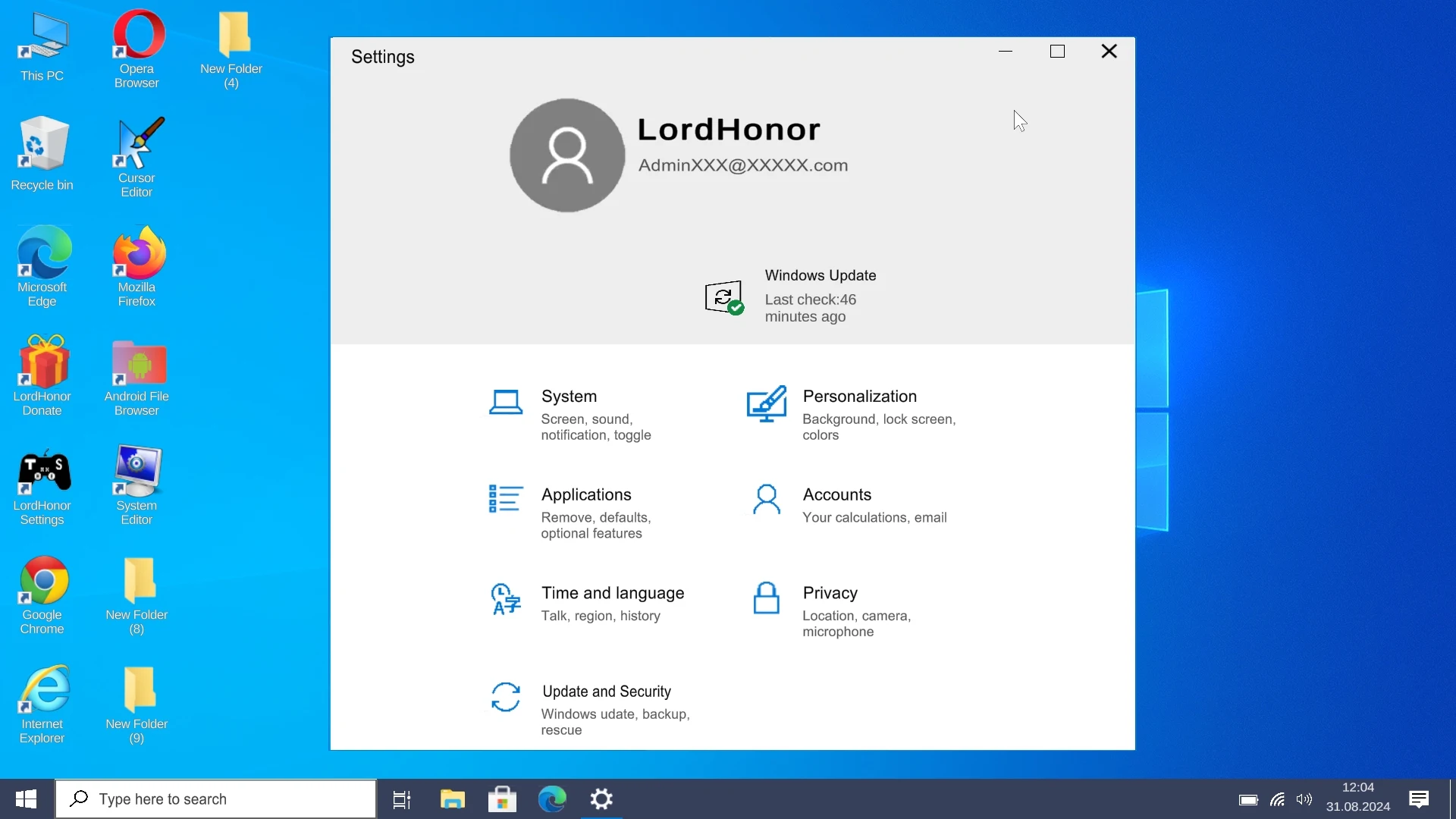
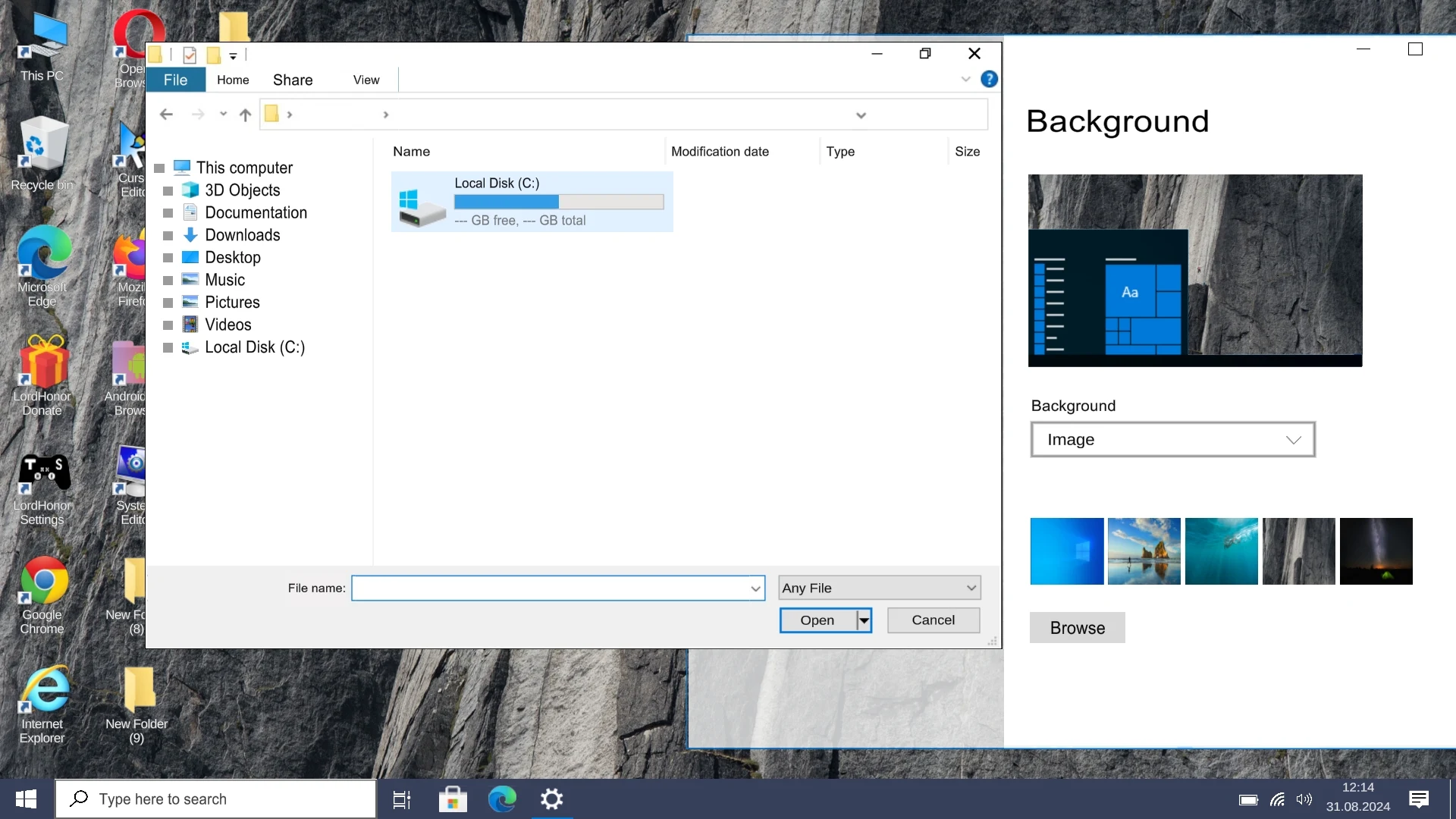
For tech enthusiasts, desktop nostalgia purists, and mobile customization fans, Wins 10 Simulator APK for Android (v2.8.4) by LordHonor provides an authentic and delightful Windows 10 desktop operating system simulation on mobile. Meticulously designed with interactive window management, a functional taskbar, a rich built-in app ecosystem, and classic PC mini-games, Wins 10 Simulator transforms your Android smartphone or tablet into a fully responsive personal computer environment in a lightweight 35 MB package.
Transform Your Android Device into a Fully Functional Windows 10 PC Environment
Experience the versatility of desktop computing on the go. Wins 10 Simulator captures every subtle detail of the modern PC operating system—from draggable multi-window multitasking and dynamic live tiles on the Start Menu to right-click context menus, a complete File Explorer hierarchy, and custom desktop wallpaper personalization.
Core Features of Wins 10 Simulator APK for Android
1. Authentic Windows 10 Desktop Interface & Window Management
Navigate a faithful recreation of desktop computing:
- Multi-Window Multitasking: Open, resize, minimize, maximize, and drag multiple app windows simultaneously across your screen.
- Interactive Taskbar & Action Center: Pin frequently used applications, monitor system time, check battery percentage, and toggle quick device settings from the Action Center.
2. Functional File Explorer & Storage Management
Manage and organize virtual files just like on a real PC:
- Disk Drive Navigation: Browse virtual C: and D: drives, create folders, cut, copy, paste, and delete files with desktop ease.
- Android Storage Bridge: Access photos, music tracks, and documents stored on your Android device directly through the simulated file browser.
3. Rich Built-in Desktop Applications Ecosystem
Enjoy a comprehensive suite of classic software utilities:
- MS Paint & Drawing Suite: Create digital sketches with customizable brush sizes, color palettes, and shape tools, then save artwork directly to your gallery.
- Notepad & WordPad: Write, edit, and save text documents with full virtual keyboard typing support.
- Scientific Calculator & Web Browser: Perform advanced mathematical calculations and surf the real web using the integrated browser.
4. Nostalgic Classic PC Mini-Games
Relive retro computing memories with fan-favorite games:
- Minesweeper: Uncover tiles, flag hidden explosives, and test your logical deduction skills across multiple grid difficulties.
- Solitaire & Spider Solitaire: Enjoy hours of card sorting relaxation with classic card back designs and celebratory card cascade victory animations.
5. Desktop Personalization & Theme Customization
Make the simulated desktop truly your own:
- Official Wallpapers & Custom Photos: Switch between iconic Windows hero wallpapers or select custom images from your phone gallery.
- Accent Colors & Icon Packs: Customize window title bar colors, taskbar transparency, and desktop icon arrangement.
6. Bios Menu, Command Prompt & Easter Eggs
Explore technical simulation depths for computer enthusiasts:
- Functional Command Prompt (CMD): Execute basic terminal commands like `dir`, `cls`, `color`, and `help` for an authentic computing feel.
- Simulated Blue Screen (BSOD) & BIOS: Access fun computer simulation easter eggs including boot sequences and error diagnostics.
7. 100% Offline Accessibility & Ultra-Lightweight Build
Enjoy desktop simulation anywhere without network connection:
- Zero Wi-Fi Dependency: All built-in apps, games, file management features, and customization options function completely offline.
- Battery & RAM Friendly: Optimized to run at a silky smooth 60 FPS without draining battery life or consuming excessive memory.
8. Direct Android App Integration & Desktop Shortcuts
Launch all your mobile games and utility apps from a familiar desktop interface:
- Custom Desktop Shortcuts: Drag any installed Android application directly onto the simulated desktop grid with authentic PC icon framing.
- Start Menu Search Indexing: Use the Start Menu search bar to instantly find, organize, and launch apps without returning to your phone default home screen.
9. Windows Media Player with Audio Visualizer Spectrum
Play local music files in a nostalgic retro media player interface:
- Classic Media Player Skin: Enjoy your favorite audio tracks with vintage retro equalizer visualizers and custom playlist loop controls.
- Integrated System Volume Mixer: Adjust app-specific sound channels and system chime volumes using the authentic taskbar audio slider.
10. Screen Aspect Ratio Scaling & DPI Customization
Adapt the Windows desktop interface to any Android display form factor:
- Tablet & Foldable Display Scaling: Dynamically adjusts icon grid columns and window resolution to take full advantage of wide tablet screens.
- Adjustable System Font Scaling: Increase or decrease system menu text size and taskbar thickness for optimal reading comfort.
11. Full Physical Keyboard Shortcut & Hotkey Support
Work faster with authentic PC hotkeys:
- Standard Windows Hotkeys: Use `Ctrl + C` (copy), `Ctrl + V` (paste), `Alt + Tab` (app switcher), and `Win + D` (show desktop) with any connected physical keyboard.
- Custom Quick-Key Actions: Re-map navigation gestures to custom keys for tailored productivity.
Pro Tips for Getting the Most Out of Wins 10 Simulator
- Connect a Bluetooth Mouse and Keyboard: Pair an external mouse and keyboard with your Android device for the ultimate full-fledged desktop PC experience!
- Use Double-Tap to Maximize Windows: Double-tap any window header bar to quickly snap it to full screen, or drag it to the top edge!
- Access Quick Settings in Action Center: Tap the notification icon in the bottom right corner to quickly adjust screen brightness and volume!
- Pin Your Favorite Android Apps: Drag frequently used Android apps onto the simulated desktop or Start Menu for instant launching!
- Try Command Prompt Color Tricks: Type `color 0a` in CMD to transform your terminal into a retro green hacker display!
How to Download, Install, and Use Wins 10 Simulator on Android
- Download the Official APK: Tap the secure download button above to get the verified
Wins 10 Simulator v2.8.4.apkpackage (35 MB). - Enable Unknown Sources: Go to Settings > Security > Install Unknown Apps and allow permission for your browser.
- Install the App: Open your Downloads folder, tap the APK file, and select Install.
- Boot into Windows: Launch Wins 10 Simulator and experience PC desktop computing on your Android device today!
Conclusion
Wins 10 Simulator APK for Android is an extraordinary and fun simulation utility that flawlessly recreates the iconic Windows 10 desktop environment on mobile. Featuring draggable multi-window multitasking, a complete File Explorer, MS Paint, classic Minesweeper and Solitaire games, CMD terminal simulation, and 100% offline usability in a tiny 35 MB build, Wins 10 Simulator is a must-try for any PC enthusiast. Download the official latest version today and enjoy desktop computing on Android!















No comments yet. Be the first!
Loading comments…