





Transform Your Phone Interface with CC Launcher MOD APK
CC Launcher MOD APK (Cool Mi Launcher) is an exceptional Android personalization tool designed to bring the sleek visual aesthetic and rich feature set of MIUI to any smartphone or tablet. While standard launcher applications often place advanced customization features, icon scaling options, and privacy controls behind restrictive paywalls, this modified edition unlocks every premium enhancement completely free of charge. Whether you want to revitalize an older device or customize your flagship smartphone with dynamic live video wallpapers, smooth gesture controls, and clean folder structures, CC Launcher delivers an unparalleled desktop transformation experience without limitations.
What is CC Launcher?
CC Launcher, officially known as Cool Mi Launcher and registered under the package name com.mi.launcher.cool, is a feature-packed Android launcher inspired by Xiaomi's MIUI and Redmi home screen designs. It is engineered to run seamlessly across all Android devices operating on version 5.0 and above, allowing non-Xiaomi users to enjoy the elegant aesthetic of MIUI 12 folders, round corners, and specialized drawer layouts. Beyond its stunning visual appearance, the application incorporates practical system utility tools, including real-time storage monitors, battery percentage indicators, private app lockers, and rapid T9 desktop search functionality.
Key Features
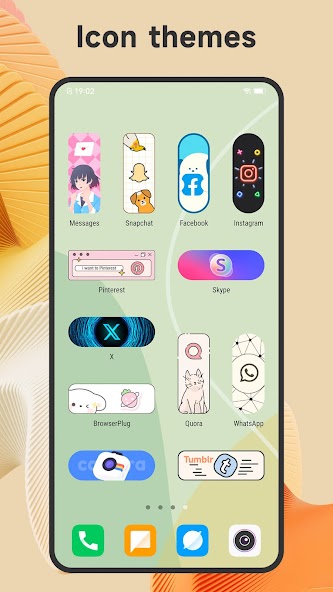
- Extensive Theme Library — Access over 500 stylish themes and more than 1,000 high-definition wallpapers to instantly personalize your home screen layout.
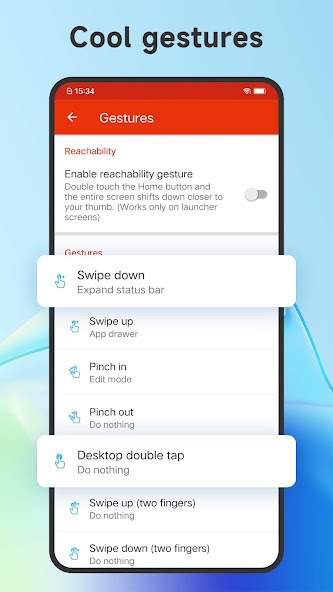
- Advanced Gesture Controls — Navigate your device efficiently using fully customizable swipe gestures, pinch-to-zoom controls, and two-finger desktop shortcuts.
- Live & Video Wallpapers — Set dynamic animated backgrounds and high-quality live videos directly onto your home screen for a futuristic aesthetic.
- Icon Pack Compatibility — Support virtually all third-party icon packs from the Google Play Store, along with individual app icon editing capabilities.
- Versatile Drawer Styles — Organize your apps effortlessly using four distinct drawer modes: horizontal, vertical, category-based, or alphabetical listing.
- Privacy & Security Tools — Hide sensitive applications from the desktop and lock private apps securely using built-in PIN and pattern lock options.
MOD Features
- Prime Unlocked — Gain instant, unrestricted access to all premium launcher features, custom font selections, and exclusive themes without subscription fees.
- No Advertisements — Enjoy a completely ad-free user interface with all promotional banners, pop-up ads, and video interruptions permanently removed.
- Unlimited Customization — Freely adjust grid dimensions, icon size scaling, folder color themes, and dock background styles without restrictions.
- Unlocked Video Wallpapers — Apply any live or video wallpaper background without experiencing lock barriers or payment prompts.
How to Install
- Uninstall any existing version of CC Launcher currently installed on your Android device.
- Download the CC Launcher v8.4.1 MOD APK file from the direct download link provided on this page.
- Navigate to your device Settings, select Security or Privacy, and enable the "Install from Unknown Sources" toggle option.
- Open your File Manager app, locate the downloaded APK file, and tap it to initiate the installation process.
- Launch CC Launcher, set it as your default home launcher when prompted, and enjoy all unlocked features.















No comments yet. Be the first!
Loading comments…