
The Ultimate Guide to Customizing Your BUSSID Experience
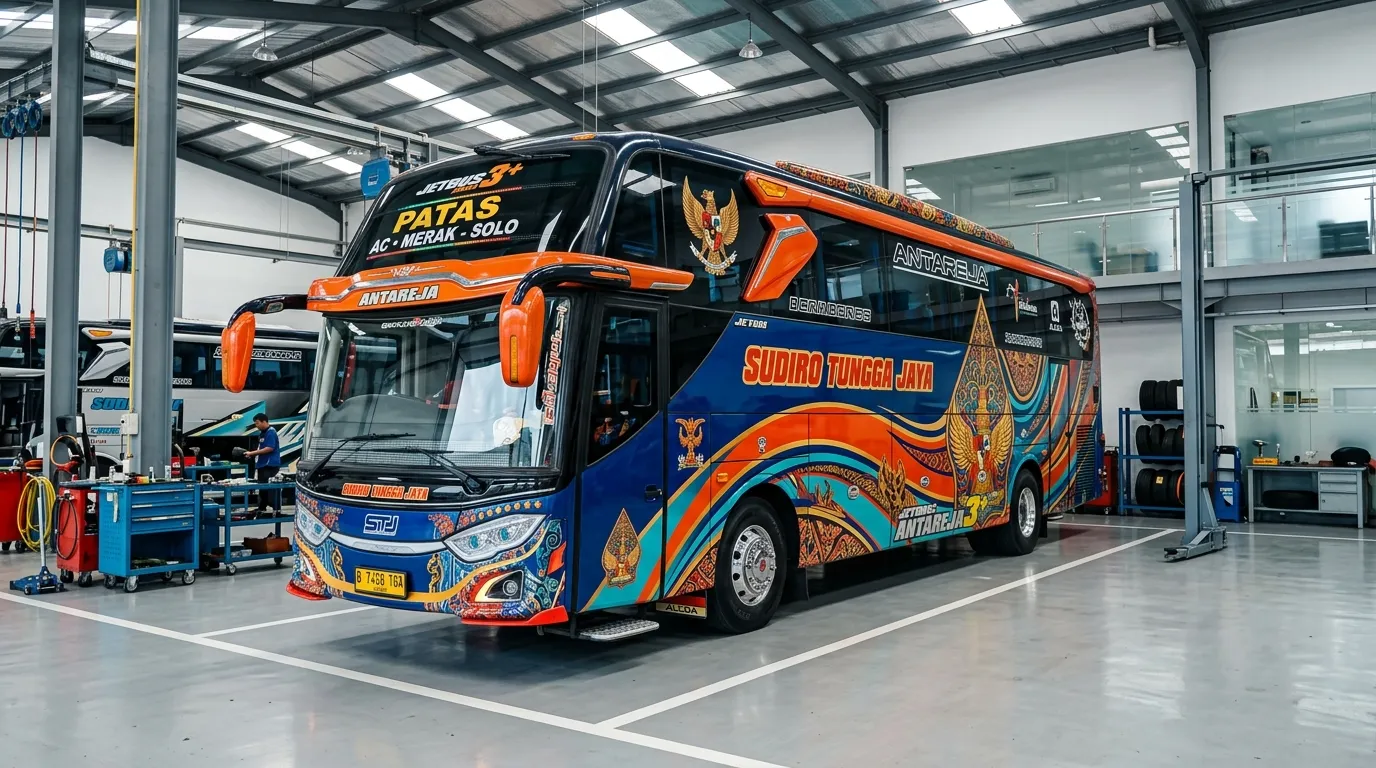
One of the most defining features of Bus Simulator Indonesia (BUSSID) is its incredibly robust customization system. The ability to apply custom liveries (skins) allows players to transform their standard in-game vehicles into exact replicas of real-world Indonesian bus fleets, such as PO Haryanto, Sinar Jaya, or ALS. In this comprehensive guide, we'll walk you through the entire process of finding, downloading, and installing custom liveries.
Step 1: Finding the Perfect Livery
Before you can customize your bus, you need a high-quality livery file. Liveries are essentially texture maps saved in .PNG format. Here is where you can find them:
- ModHello's Livery Section: Browse our curated collection of HD liveries.
- Facebook Groups: Search for "BUSSID Livery" groups where creators share their daily designs.
- YouTube Creators: Many BUSSID modders leave Google Drive links to their skins in video descriptions.
PRO TIP: Ensure the livery you download matches your bus model (HD, SHD, XHD, or SDD). An SHD livery applied to an HD bus will result in broken, misaligned textures!
Step 2: Accessing the Garage
Once your desired .PNG file is safely saved in your device's Downloads or Gallery folder, launch Bus Simulator Indonesia. From the main menu dashboard, navigate to the Garage (usually located on the left-side panel).
Step 3: The Customization Menu
Inside the Garage, you will see your current active vehicle. Look at the top center of the screen to find a row of icons. Tap on the Paint Palette icon. This is your gateway to applying skins.
Step 4: Applying Your Downloaded Livery
Follow these exact steps to apply the skin flawlessly:
- Check the "High Resolution" box. This prevents the skin from looking blurry (Note: May cause slight frame drops on low-end devices).
- Tap the "Browse Livery" button.
- A prompt will ask you to choose a file source. Select "Device Gallery" for ease of use, or "File Manager" if you know the exact folder path.
- Navigate to your downloaded .PNG file and select it.
Step 5: Finalizing the Installation
The game will immediately render the livery on your bus. Rotate the camera to ensure everything aligns perfectly. If you are satisfied, tap the green "Apply" button.
You will be presented with two payment options for the installation fee:
- Pay with 15,000 RP (in-game currency).
- Watch a 30-second video ad to install it for free.
Shortcut: If you are using the BUSSID MOD APK from ModHello, you have unlimited RP! Simply pay the fee instantly without sitting through annoying ads.
Conclusion
Custom liveries bring a massive level of personalization and realism to BUSSID. Don't be afraid to experiment with different skins to keep your fleet looking fresh. Keep an eye out for our weekly livery roundups for the best designs in the community!