
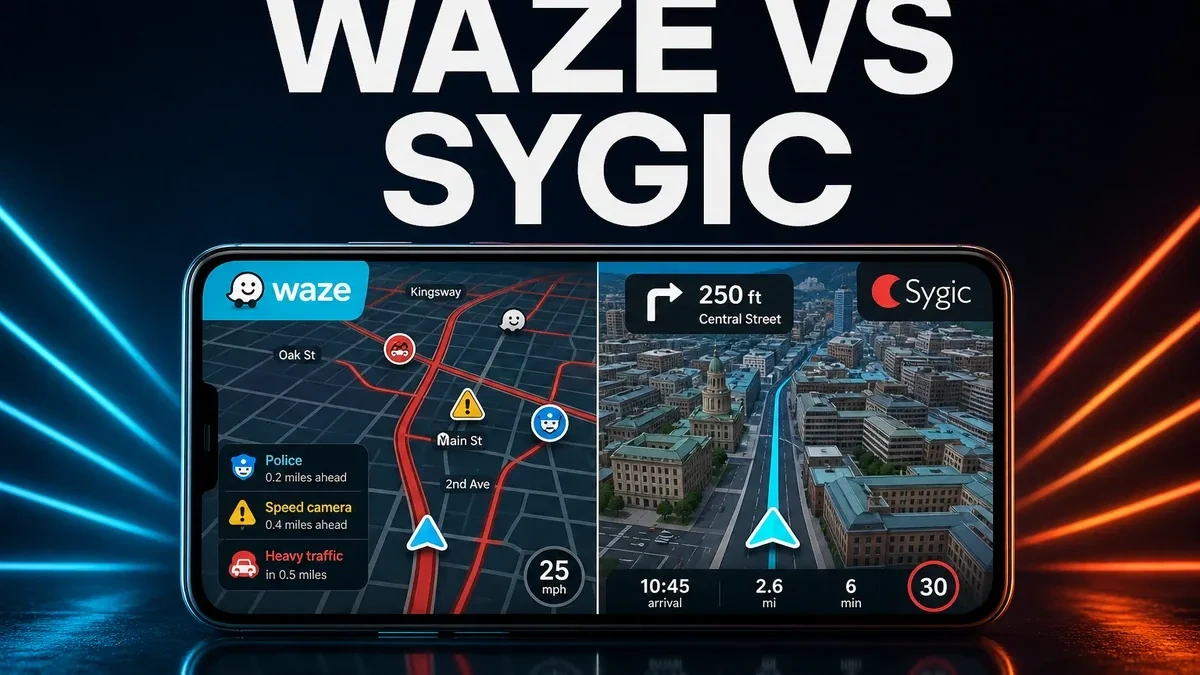
Offline maps feel safe because they do not depend on mobile signal. Live navigation feels smart because the road can change faster than any downloaded map pack. That is the real difference between Waze and Sygic: one focuses on what drivers are seeing right now, while the other focuses on keeping navigation available when the network is unreliable.
The real choice is live traffic or offline certainty
Many navigation comparisons begin with long feature lists: voice guidance, lane assistance, 3D views, speed alerts, map packs, and Android Auto support. Those details matter, but they are not the main decision for most drivers. The more useful question is simple: does your trip usually fail because traffic changes suddenly, or because your phone loses connection?
Waze is stronger when your driving depends on live road awareness. Sygic is stronger when you want maps prepared before the trip and usable without a stable connection. Neither app is automatically better for everyone. The best choice depends on the kind of uncertainty you face most often.
Why Waze and Sygic solve different problems
Waze is built around connected driving. It uses live traffic data, community reports, and fast rerouting to help drivers react to congestion, accidents, hazards, police reports, and temporary slowdowns. In busy cities and commuter routes, that can be a major advantage because conditions can change within minutes.
Sygic takes a different approach. Its biggest strength is offline navigation. You can prepare maps before you travel, which is useful in rural areas, mountains, tunnels, international trips, or places where roaming data is expensive. If the signal drops, offline maps still give you route continuity.
This is why comparing them as simple GPS apps misses the point. Waze is about live awareness. Sygic is about dependable access. Both are useful, but they are useful in different driving situations.
Where Waze has the advantage
Waze makes the most sense when your main problem is not loading a map, but avoiding delays that appear after you start driving. Its community-based reports can warn you about road hazards, stopped vehicles, sudden congestion, and other events that static map data may not reflect quickly enough.
What you gain with Waze: faster reaction to live traffic, stronger incident awareness, and routes that can change when the road changes. For daily commuters, delivery drivers, and city drivers, that can save time and reduce frustration.
What you give up: offline independence. Waze works best when your phone has reliable data and when there are enough active drivers nearby to keep reports fresh. If you often travel through weak-signal areas, an offline-first app like Sygic may feel more dependable.
Where Sygic is the safer option
Sygic is better when your trip needs to continue even if the network fails. Downloaded maps are especially helpful on long road trips, cross-border travel, and routes through remote areas. You can prepare before leaving and avoid depending on live data for every part of the journey.
The trade-off is that offline certainty does not always know what happened five minutes ago. A downloaded map can guide you, but it may not react as quickly to a sudden crash, closure, or traffic jam. If you drive in a city where traffic changes constantly, Waze may feel more current.
Quick comparison for Android drivers
- Choose Waze if: you commute in connected areas, care about live traffic, and want community hazard reports.
- Choose Sygic if: you travel where mobile signal is weak, want offline maps ready, or need dependable navigation without data.
- Waze is not ideal if: you dislike relying on live reports or frequently drive outside strong coverage zones.
- Sygic is not ideal if: your biggest problem is sudden congestion and you need the fastest live rerouting possible.
Before you choose Waze
Ask what usually makes your drive harder. If it is traffic jams, incidents, and changing road conditions, Waze is the more relevant choice. If it is lost signal, expensive data, or routes through remote areas, Sygic is likely the safer option.
How to install and test Waze safely on Android
The safest option is to install Waze from the official app store when it is available in your region. If you install an APK manually, use a trusted source, check the app name and version carefully, and avoid suspicious packages that ask for unnecessary permissions.
- Use a trusted source: avoid random mirrors and pages that bundle unrelated files.
- Check compatibility: confirm that the version supports your Android device.
- Remove conflicts if needed: if installation fails, an existing version may need to be updated or removed first.
- Test it on a real route: try Waze during your normal commute and see whether live rerouting actually helps.
- Compare with your travel needs: if weak signal is the bigger issue, keep Sygic or another offline navigation option ready.
Our recommendation
Choose Waze when live traffic awareness is your daily priority. Choose Sygic when offline route continuity matters more than community updates. In short, Waze is better for changing roads, while Sygic is better for uncertain connections.